Loading
Form preview
  • US Legal Forms
  • Other Templates
  • More Forms
  • More Multi-State Forms
  • Grow Checking Account Free Switch Kit - Growfinancial

Get Grow Checking Account Free Switch Kit - Growfinancial

Pp and Telephone Banking for convenient, 24/7 access to your account information. FREE ATMs at all Grow Financial stores, and at more than 77,000 locations across the country.1 Make the Switch to Grow Checking. It s Easy! Grow Financial Federal Credit Union has put together the Grow Checking Account Free Switch Kit, making it easy for you to transfer your checking account to us. Everything you need to make the switch easily and quickly is here, along with easy-to-follow instructions. If you h.

How it works

  1. Open form

    Open form follow the instructions

  2. Easily sign form

    Easily sign the form with your finger

  3. Share form

    Send filled & signed form or save

How to fill out the Grow Checking Account Free Switch Kit - Growfinancial online

Filling out the Grow Checking Account Free Switch Kit is a straightforward process designed to help you transition your banking easily. This guide will provide step-by-step instructions for each section of the form to ensure a smooth experience.

Follow the steps to complete your Grow Checking Account Free Switch Kit online.

  1. Press the ‘Get Form’ button to access the form and open it in your editor.
  2. Begin with the application for a Grow Checking Account. Ensure to gather all necessary documents and information that may be required for this section.
  3. Carefully follow the instructions for closing your old checking account. Make note to retain sufficient balance to cover outstanding transactions, such as checks and automatic payments.
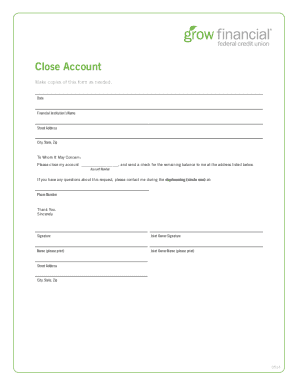
  4. Proceed to fill out the enclosed forms for closing your previous accounts. Specify your old financial institution and include relevant account details accurately.
  5. Complete the Change Payroll Direct Deposit form. Provide your employer's information and your new Grow Financial account details for seamless transition of deposits.
  6. Fill out the Change Automatic Payment/Withdrawals form for any recurring payments. Identify the companies involved and update them on your new account details.
  7. Upon completion, review all entries for accuracy. Save changes to your document, and when ready, download, print, or share the completed forms as necessary.

Start your transition to Grow Checking by completing your Switch Kit online today.

Get form

Experience a faster way to fill out and sign forms on the web. Access the most extensive library of templates available.
Get form

Related content

qtwo-20231231
Our investments in digital lending and relationship pricing, BaaS, digital account...
Learn more
Credit Fundamentals Everfi Answers
students, EverFi's Credit Fundamentals module provides the crucial first steps. But simply...
Learn more
0000950123-11-001584.txt
Increase in commercial deposit balances reflects the bank's focus on meeting customer...
Learn more

Related links form

NC Watts School Of Nursing Transcript Request Alumni/Previous Students 2017 NC Terry Sanford High School Volunteer Request Form NC IFTA/IRP Audit Process 2019 NJ Inspection Application Form - Borough Of Seaside Heights 2023

Questions & Answers

Get answers to your most pressing questions about US Legal Forms API.

Contact support

To reset your Grow Financial password, start by visiting the login page and selecting 'Forgot Password?'. Input your email address that is linked to your account. You will receive a password reset link to your email, allowing you to create a new password.

Resetting your Grow password is simple. Go to the Grow Financial login page, click 'Forgot Password?', and enter your registered email. Follow the instructions sent to you in the email to set a new password and regain access to your account.

The limit on your Grow Financial debit card can differ based on your account activity and type. Usually, there is a daily withdrawal limit as well as a point-of-sale transaction limit. For precise limits applicable to your account, please log into your online banking or reach out to our support team.

The external transfer limit for Grow Financial varies based on your account type and history. Typically, members can transfer up to a certain amount each day. To verify your specific limit, check within your online banking portal or contact customer service.

To reset your first financial password, go to the appropriate financial institution's login page. Click on 'Forgot Password?' and enter your registered email or account number. You'll get instructions via email to help you reset your password.

If you need to reset your Financial Times password, navigate to their login page. Click on 'Forgot Password?' and provide your email address. You will receive a link to set a new password for your account.

To reset your instant financial password, visit the Grow Financial website. Look for the login section and click on 'Forgot Password?' Follow the instructions in your email to create a new password, ensuring it's secure and memorable.

Get This Form Now!

Use professional pre-built templates to fill in and sign documents online faster. Get access to thousands of forms.
Get form
If you believe that this page should be taken down, please follow our DMCA take down processhere.
Get Grow Checking Account Free Switch Kit - Growfinancial
Get form
  • Adoption
  • Bankruptcy
  • Contractors
  • Divorce
  • Home Sales
  • Employment
  • Identity Theft
  • Incorporation
  • Landlord Tenant
  • Living Trust
  • Name Change
  • Personal Planning
  • Small Business
  • Wills & Estates
  • Packages A-Z
  • Affidavits
  • Bankruptcy
  • Bill of Sale
  • Corporate - LLC
  • Divorce
  • Employment
  • Identity Theft
  • Internet Technology
  • Landlord Tenant
  • Living Wills
  • Name Change
  • Power of Attorney
  • Real Estate
  • Small Estates
  • Wills
  • All Forms
  • Forms A-Z
  • Other Templates
  • Legal Hub
  • About Us
  • Help Portal
  • Legal Resources
  • Blog
  • Affiliates
  • Contact Us
  • Delete My Account
  • Site Map
  • Industries
  • Forms in Spanish
  • Localized Forms
  • State-specific Forms
  • Forms Kit
  • Real Estate Handbook
  • All Guides
  • Notarize
  • Incorporation services
  • For Consumers
  • For Small Business
  • For Attorneys
  • USLegal
  • FormsPass
  • pdfFiller
  • signNow
  • altaFlow
  • DocHub
  • Instapage
Form Packages
  • Adoption
  • Bankruptcy
  • Contractors
  • Divorce
  • Home Sales
  • Employment
  • Identity Theft
  • Incorporation
  • Landlord Tenant
  • Living Trust
  • Name Change
  • Personal Planning
  • Small Business
  • Wills & Estates
  • Packages A-Z
Form Categories
  • Affidavits
  • Bankruptcy
  • Bill of Sale
  • Corporate - LLC
  • Divorce
  • Employment
  • Identity Theft
  • Internet Technology
  • Landlord Tenant
  • Living Wills
  • Name Change
  • Power of Attorney
  • Real Estate
  • Small Estates
  • Wills
  • All Forms
  • Forms A-Z
  • Other Templates
Customer Service
  • Legal Hub
  • About Us
  • Help Portal
  • Legal Resources
  • Blog
  • Affiliates
  • Contact Us
  • Delete My Account
  • Site Map
  • Industries
  • Forms in Spanish
  • Localized Forms
  • State-specific Forms
  • Forms Kit
Legal Guides
  • Real Estate Handbook
  • All Guides
Prepared for you
  • Notarize
  • Incorporation services
Our Customers
  • For Consumers
  • For Small Business
  • For Attorneys
Our Sites
  • USLegal
  • FormsPass
  • pdfFiller
  • signNow
  • altaFlow
  • DocHub
  • Instapage
Social Media
Call us now toll free:
+1 833 426 79 33
As seen in:
© Copyright 1999-2026 airSlate Legal Forms, Inc. 17 Station Street, Ste. 203, Brookline, MA 02445
  • Your Privacy Choices
  • Terms of Service
  • Privacy Notice
  • Content Takedown Policy
  • Bug Bounty Program