Loading
Get 2008 Es Atc S25 (catalan)
How it works
-

Open form follow the instructions
-

Easily sign the form with your finger
-

Send filled & signed form or save
How to fill out the 2008 ES ATC S25 (Catalan) online
Filling out the 2008 ES ATC S25 form online can streamline your tax assessment process. This guide will walk you through each section of the form, ensuring you provide all necessary information correctly.
Follow the steps to fill out the form accurately.
- Press the ‘Get Form’ button to acquire the form and open it in your preferred editing platform.
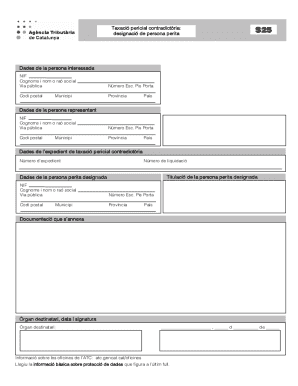
- Complete the ‘Dades de la persona interessada’ section with the required details. Enter the NIF, full name or company name, public road, and additional address information, including postal code, province, municipality, and country.
- Fill in the ‘Dades de la persona representant’ section. This should include the representative's NIF, full name or company name, address details similar to the previous section.
- In the ‘Dades de l’expedient de taxació pericial contradictòria’ section, ensure you enter the expediente number and liquidation number accurately.
- In the ‘Titulació de la persona perita designada’ section, indicate the qualifications of the designated expert person.
- Complete the ‘Dades de la persona perita designada’ section with the expert's NIF, full name or company name, and corresponding address, including postal code, province, municipality, and country.
- Attach any required documentation in the ‘Documentació que s’annexa’ section.
- Fill out the ‘Òrgan destinatari, data i signatura’ section, specifying the recipient body, date, and sign the form.
- Once completed, you can save changes, download, print, or share the form.
Complete your tax documentation online today!