Loading
Get 2014 De Mahnbescheid - Bremen
How it works
-

Open form follow the instructions
-

Easily sign the form with your finger
-

Send filled & signed form or save
How to fill out the 2014 DE Mahnbescheid - Bremen online
Completing the 2014 DE Mahnbescheid - Bremen online can feel overwhelming, but this guide will help you navigate the process with ease. By following these clear steps, you'll be able to fill out your document accurately and efficiently.
Follow the steps to successfully complete the online form.
- Click the ‘Get Form’ button to retrieve the document and open it in your selection of editors.
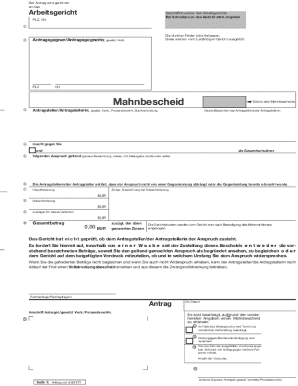
- Enter the details for the Arbeitsgericht (labor court) in the provided fields, ensuring to include the Geschäftsnummer (case number). Make sure to also include the postal code (PLZ) and location (Ort).
- Leave the dark fields empty, as these will be filled out by the appropriate court.
- Provide information about the Antragsgegner (respondent), including their postal code and location.
- Fill in your details as the Antragsteller (applicant) including any legal representatives or co-applicants.
- Clearly state the claim you are making against the respondent, specifying details such as the amount (brutto or netto) and any relevant dates.
- Indicate the date of the Mahnbescheid (reminder notice) and provide your account information if necessary.
- Clearly specify the main claim amount (Hauptforderung), along with any interest (Zinsen) and additional claims (Nebenforderung) in the designated fields.
- Calculate the total amount (Gesamtbetrag), ensuring accuracy, and include the total with any specified interest.
- Sign and date the document where indicated, ensuring it reflects the date you are submitting the form.
- Review all entries for accuracy and completeness, ensuring no information is omitted.
- Once everything is confirmed, save your changes, and download, print, or share the completed form as needed.
Complete your documents online today to ensure timely processing!