We use cookies to improve security, personalize the user experience, enhance our marketing activities (including cooperating with our marketing partners) and for other business use.
Click "here" to read our Cookie Policy. By clicking "Accept" you agree to the use of cookies. Read less
Read more
Accept
Loading
Form preview
  • US Legal Forms
  • Form Library
  • More Forms
  • More Multi-State Forms
  • The Owner, The Project, The Type Of - Gpo

Get The Owner, The Project, The Type Of - Gpo

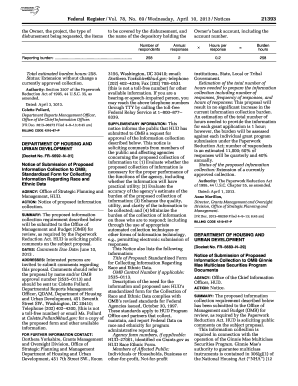
He name of the depository holding the Reporting burden: ....................................................................... Total estimated burden hours: 258. Status: Extension without change a currently approved collection. Authority: Section 3507 of the Paperwork Reduction Act of 1995, 44 U.S.C. 35, as amended. Dated: April 3, 2013. Colette Pollard, Department Reports Management Officer, Office of the Chief Information Officer. FR Doc. 2013 08273 Filed 4 9 13; 8:45 am BILLING COD.

How it works

  1. Open form

    Open form follow the instructions

  2. Easily sign form

    Easily sign the form with your finger

  3. Share form

    Send filled & signed form or save

How to fill out the The Owner, The Project, The Type Of - Gpo online

Filling out the The Owner, The Project, The Type Of - Gpo form is essential for accurately requesting disbursements and reporting necessary project details. This guide provides a step-by-step approach to ensure users can complete the form effectively and efficiently.

Follow the steps to accurately fill out the form online.

  1. Click ‘Get Form’ button to obtain the form and open it in the editor.
  2. In the 'Owner' section, provide the name of the individual or organization that owns the project. Ensure that the name is spelled correctly and matches official documentation.
  3. In the 'Project' section, clearly state the name of the project for which the disbursement is being requested. Be specific to avoid any confusion.
  4. In the 'Type Of' section, select the type of disbursement requested. This could include options such as grants, loans, or other funding types.
  5. List the items to be covered by the disbursement. Carefully detail each item to provide complete clarity regarding the funds requested.
  6. Specify the name of the depository holding the disbursement funds. This should reflect the official bank or financial institution involved.
  7. Once all sections are completed, review the form for accuracy and completeness. Make any necessary corrections before finalizing.
  8. After verifying the information, save changes, and select your next action: download, print, or share the completed form as necessary.

Begin the process of completing your documents online today.

Get form

Experience a faster way to fill out and sign forms on the web. Access the most extensive library of templates available.
Get form

Related content

Frequently Asked Questions
The Financial Document Repository will allow GPO customers to retrieve and view their...
Learn more
Group Policy Object Processing Order - Stanford...
Aug 10, 2018 — A Group Policy Object can contain both computer and user sets of policies...
Learn more
2011 Publication 334
Dec 21, 2011 — What kinds of business expenses can I deduct on my tax return? See...
Learn more

Related links form

Sura Guide Solicitud Y Requisitos De Poder Notarial - Consulmex Sre Gob Sacramento Law Library Civil Harassment Form Driver Training School Student Record - Quality Driving School

Questions & Answers

Get answers to your most pressing questions about US Legal Forms API.

Contact support

GPO admin refers to the administrative roles responsible for managing and configuring Group Policy Objects within an organization. They create, modify, and apply GPOs to ensure compliance and standardization across the network. This role is crucial for The Owner, especially in large organizations, as it directly impacts The Type Of - GPO policies that users experience. Understanding the responsibilities of a GPO admin can lead to better project execution.

There are primarily two types of Group Policy Objects: Local GPOs and Non-local GPOs. Local GPOs apply settings that are specific to a single computer system, while Non-local GPOs are linked to Active Directory and can manage multiple users or computers. This differentiation allows The Owner to choose the appropriate GPO type based on The Project's needs. By using both types wisely, you can maximize organizational efficiency.

You can see what GPOs are applied to a user by using the Group Policy Results Wizard in the Group Policy Management Console. This tool generates a report showing all applicable GPOs for the selected user. By leveraging these insights, you can better manage The Owner, The Project, The Type Of - Gpo for improved user experience.

To find where a GPO is linked, open the Group Policy Management Console and navigate to the GPO in question. You will see the linked locations listed under the scope tab. By tracking this, you can clearly understand The Owner, The Project, The Type Of - Gpo relationships within your network.

GPOs are applied in a specific order: local, site, domain, and organizational unit (OU), which is often referred to as LSD OU. Understanding this application order is essential for troubleshooting policy conflicts and ensuring compliance. This hierarchy reflects The Owner, The Project, The Type Of - Gpo management framework in place.

You can export GPO settings to a file using the Group Policy Management Console. Simply right-click on the desired GPO and select the export option, which will allow you to save the settings into a file format like XML. This is a great way to back up The Owner, The Project, The Type Of - Gpo for future reference or migration.

To find out which GPO is applied to a user, use the 'Resultant Set of Policy' (RSoP) tool. This allows you to see the effective policies for a specific user or computer. By understanding The Owner, The Project, The Type Of - Gpo, you can assess how group policies are impacting user experiences and compliance.

The owner of a Group Policy is typically the individual or group responsible for managing that specific GPO. You can identify the owner by checking the GPO properties within the Group Policy Management Console. Knowing The Owner, The Project, The Type Of - Gpo helps ensure accountability and proper management in your organization.

To get GPO details, you can use the Group Policy Management Console (GPMC). It provides an overview of all Group Policies, called GPOs, and their settings. Just navigate to the GPOs section, select the specific GPO, and you will see its properties and configuration. This is crucial for understanding how The Owner, The Project, The Type Of - Gpo impacts your environment.

GPO operates under the U.S. federal government and falls within the purview of the legislative branch. It plays an integral role in supporting public access to information. Recognizing the department under which GPO operates helps clarify its mission related to The Owner, The Project, and The Type Of - Gpo.

Get This Form Now!

Use professional pre-built templates to fill in and sign documents online faster. Get access to thousands of forms.
Get form
If you believe that this page should be taken down, please follow our DMCA take down processhere.

Industry-leading security and compliance

US Legal Forms protects your data by complying with industry-specific security standards.
  • In businnes since 1997
    25+ years providing professional legal documents.
  • Accredited business
    Guarantees that a business meets BBB accreditation standards in the US and Canada.
  • Secured by Braintree
    Validated Level 1 PCI DSS compliant payment gateway that accepts most major credit and debit card brands from across the globe.
Get The Owner, The Project, The Type Of - Gpo
Get form
Form Packages
Adoption
Bankruptcy
Contractors
Divorce
Home Sales
Employment
Identity Theft
Incorporation
Landlord Tenant
Living Trust
Name Change
Personal Planning
Small Business
Wills & Estates
Packages A-Z
Form Categories
Affidavits
Bankruptcy
Bill of Sale
Corporate - LLC
Divorce
Employment
Identity Theft
Internet Technology
Landlord Tenant
Living Wills
Name Change
Power of Attorney
Real Estate
Small Estates
Wills
All Forms
Forms A-Z
Form Library
Customer Service
Terms of Service
Privacy Notice
Legal Hub
Content Takedown Policy
Bug Bounty Program
About Us
Blog
Affiliates
Contact Us
Delete My Account
Site Map
Industries
Forms in Spanish
Localized Forms
State-specific Forms
Forms Kit
Legal Guides
Real Estate Handbook
All Guides
Prepared for You
Notarize
Incorporation services
Our Customers
For Consumers
For Small Business
For Attorneys
Our Sites
US Legal Forms
USLegal
FormsPass
pdfFiller
signNow
airSlate WorkFlow
DocHub
Instapage
Social Media
Call us now toll free:
+1 833 426 79 33
As seen in:
  • USA Today logo picture
  • CBC News logo picture
  • LA Times logo picture
  • The Washington Post logo picture
  • AP logo picture
  • Forbes logo picture
© Copyright 1997-2025
airSlate Legal Forms, Inc.
3720 Flowood Dr, Flowood, Mississippi 39232
Form Packages
Adoption
Bankruptcy
Contractors
Divorce
Home Sales
Employment
Identity Theft
Incorporation
Landlord Tenant
Living Trust
Name Change
Personal Planning
Small Business
Wills & Estates
Packages A-Z
Form Categories
Affidavits
Bankruptcy
Bill of Sale
Corporate - LLC
Divorce
Employment
Identity Theft
Internet Technology
Landlord Tenant
Living Wills
Name Change
Power of Attorney
Real Estate
Small Estates
Wills
All Forms
Forms A-Z
Form Library
Customer Service
Terms of Service
Privacy Notice
Legal Hub
Content Takedown Policy
Bug Bounty Program
About Us
Blog
Affiliates
Contact Us
Delete My Account
Site Map
Industries
Forms in Spanish
Localized Forms
State-specific Forms
Forms Kit
Legal Guides
Real Estate Handbook
All Guides
Prepared for You
Notarize
Incorporation services
Our Customers
For Consumers
For Small Business
For Attorneys
Our Sites
US Legal Forms
USLegal
FormsPass
pdfFiller
signNow
airSlate WorkFlow
DocHub
Instapage
Social Media
Call us now toll free:
+1 833 426 79 33
As seen in:
  • USA Today logo picture
  • CBC News logo picture
  • LA Times logo picture
  • The Washington Post logo picture
  • AP logo picture
  • Forbes logo picture
© Copyright 1997-2025
airSlate Legal Forms, Inc.
3720 Flowood Dr, Flowood, Mississippi 39232