Loading
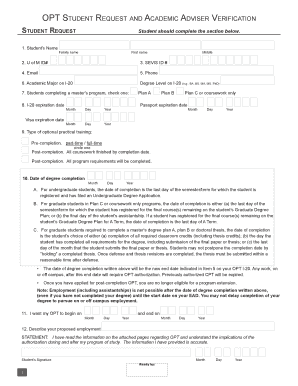
Get Note: This Opt Application Packet Has 2 Attachment Documents I ...
How it works
-

Open form follow the instructions
-

Easily sign the form with your finger
-

Send filled & signed form or save
How to fill out the NOTE: This OPT Application Packet Has 2 Attachment Documents I ... online
This guide provides step-by-step instructions for completing the OPT application packet, which includes the I-765 and G-1145 forms. Following these guidelines will help ensure that your application is filled out correctly and submitted successfully.
Follow the steps to fill out the OPT application packet online.
- Click the ‘Get Form’ button to acquire the application packet and access it in your selected editor.
- Begin with the I-765 form, starting by indicating your request for permission to accept employment by marking 'X' in the appropriate box.
- Fill in your name completely, ensuring your family name is in all capital letters. If you do not have a middle name, note '(none)'.
- Input any other names you have used, or denote '(N/A)' if you have not used any alternate names.
- Provide your current address in the U.S. that will remain valid for at least three months post-application submission. For C/O arrangements, include the name and address of the person helping you.
- Record your country of citizenship/nationality by referring to Block 1 of your I-20 form.
- Enter your place of birth and date of birth as listed in your passport.
- Select your gender and marital status by checking the appropriate boxes.
- If you possess a social security number, list it here. If not, indicate '(none)'.
- Fill in your Alien Registration Number or I-94 number if you are an F-1 student.
- Indicate if you have applied for employment authorization before; if yes, provide further details as prompted.
- Document your date and place of last entry into the U.S. by checking the most recent stamp in your passport or I-94.
- Specify your current immigration status, referring to the latest stamp in your passport or I-94.
- Indicate your eligibility category according to whether you are applying for pre-completion or post-completion optional practical training.
- Sign your application within the designated area, providing your contact number and date.
- Complete the rest of the required documents (G-1145 and supporting materials) and assemble them in proper order before mailing.
- Mail your application materials following the instructions provided for your respective USCIS Lockbox address.
- After mailing, monitor for the receipt notice and follow up as necessary to ensure processing of your application.
Complete your OPT application online today to start your journey towards gaining practical experience in your field of study.
To successfully submit Form I-765, ensure you include a copy of your I-94 form, your most recent Form I-20, and two passport-sized photos. Additionally, if applicable, send any previous Employment Authorization Documents (EAD) you possess. As a reminder, NOTE: This OPT Application Packet Has 2 Attachment Documents I .... Correct submissions can enhance your application.
Industry-leading security and compliance
US Legal Forms protects your data by complying with industry-specific security standards.
-
In businnes since 199725+ years providing professional legal documents.
-
Accredited businessGuarantees that a business meets BBB accreditation standards in the US and Canada.
-
Secured by BraintreeValidated Level 1 PCI DSS compliant payment gateway that accepts most major credit and debit card brands from across the globe.