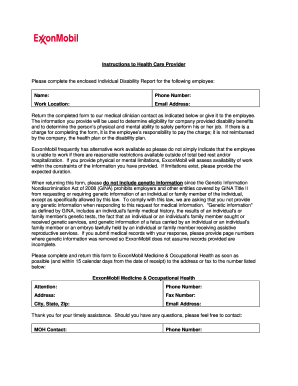
injury or illness that results in a disability absence. The IDR Form is used to provide information to the company to support and assist employees in returning to work or ensuring they receive the appropriate disability benefits. INSTRUCTIONS: 1. The IDR form may be used to obtain certification from a recognized Health Care Provider regarding (1) an employee’s eligibility for extended Short-Term Disability benefits, and (2) an employee’s mental or physical ability to safely perform his/her .

How it works
  • Open form

    Open form follow the instructions

  • Easily sign form

    Easily sign the form with your finger

  • Share form

    Send filled & signed form or save

How to fill out the ExxonMobil Individual Disability Report (IDR) online

The ExxonMobil Individual Disability Report (IDR) is a vital document used to support employees in claiming disability benefits and ensuring a smooth transition back to work. This guide provides clear instructions on how to complete the IDR form online, ensuring you provide all the necessary information for your health care provider.

Follow the steps to successfully complete the IDR form online

  1. Click ‘Get Form’ button to obtain the IDR form and open it in your digital workspace.
  2. Fill out the top section of the IDR form with your personal information, including your name, social security number, and contact details. Make sure to include the date and the medical provider’s contact information as indicated.
  3. Complete the authorization section, providing your signature to grant permission for your medical provider to share relevant medical information with ExxonMobil. This authorization is essential for evaluating your ability to work and determining your eligibility for benefits.
  4. Next, detail your work recommendations by selecting your medical status. If your health care provider indicates any limitations, ensure they provide the necessary specifics on what tasks you are unable to perform.
  5. Once you have filled out your portion of the IDR, it is crucial to print the form and share it with your health care provider for them to complete the medical evaluation section.
  6. After your health care provider fills out the necessary sections, review the form to ensure it is complete and accurate before submission.
  7. Finally, save your changes, download the completed form, and either print it for physical submission or electronically share it as per your company’s guidelines.

Complete your ExxonMobil Individual Disability Report online to ensure your disability benefits are processed efficiently.

Get form

Experience a faster way to fill out and sign forms on the web. Access the most extensive library of templates available.

Related content

nvgs-20241231

This annual report on Form 20-F for the year ended December 31, 2024, or this “annual...

Learn more
Exploring Flexible Strategies in Engineering...

by J Lin · 2008 · Cited by 54 — ABSTRACT. Engineering Systems, such as offshore...

Learn more
FORM 10-K Marathon Petroleum Corporation...

Feb 26, 2021 — medical, dental, vision, prescription and disability coverage. Our...

Learn more
Questions & Answers

Get answers to your most pressing questions about US Legal Forms API.

Contact support

How do you answer question 12 on a function report?

To answer question 12 on the function report, reflect on any physical or mental limitations you encounter. Provide specific examples of how these limitations affect your ability to perform everyday tasks. It is important to be truthful and thorough in your answers. Think of using the ExxonMobil Individual Disability Report (IDR) to assist you in structuring your response to highlight these challenges accurately.

Filling out a disability function report requires careful attention to detail. Start by reviewing each question to understand what information is needed. Provide honest and detailed responses about how your disability limits your everyday activities. If you need guidance, tools like the ExxonMobil Individual Disability Report (IDR) can help you format your answers effectively and comprehensively.

Question 10 of the disability function report typically asks about your ability to perform various activities. This section is crucial because it helps determine the extent of your limitations due to your condition. Be specific in your responses to give a clear picture of how your disability impacts your life. Using the ExxonMobil Individual Disability Report (IDR) can guide you in addressing this question thoroughly.

To complete the Social Security Disability Function Report, start by providing accurate personal information, including your name and contact details. Then, carefully describe your daily activities, limitations, and any assistive devices you use. Focus on how your condition affects your day-to-day functioning. For further assistance, consider utilizing tools like the ExxonMobil Individual Disability Report (IDR) to ensure all necessary details are included.

Get This Form Now!

Use professional pre-built templates to fill in and sign documents online faster. Get access to thousands of forms.

If you believe that this page should be taken down, please follow our DMCA take down process here.

ExxonMobil Individual Disability Report (IDR) Form

This form is available in several versions. Select the version you need from the drop-down list below.

Get ExxonMobil Individual Disability Report (IDR)