Loading
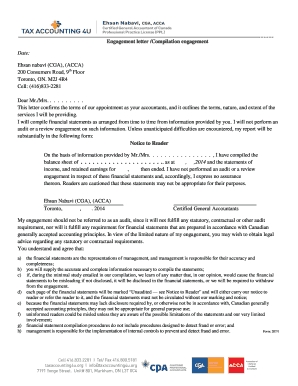
Get Canada Tax Accounting4u Form 207/1 2014-2026
How it works
-

Open form follow the instructions
-

Easily sign the form with your finger
-

Send filled & signed form or save
How to fill out the Canada Tax Accounting4U Form 207/1 online
This guide provides clear and straightforward instructions for filling out the Canada Tax Accounting4U Form 207/1 online. Following this guide will help ensure a smooth and accurate submission process for your accounting needs.
Follow the steps to successfully complete the Canada Tax Accounting4U Form 207/1 online.
- Click the ‘Get Form’ button to obtain the form and open it in your document editor.
- Begin by entering your personal information in the designated fields. This typically includes your full name, address, and contact details.
- Provide the details of your financial statements, including the type of financial statements and the reporting period. Ensure all entries are accurate and complete.
- Sign the engagement letter section, confirming your acceptance of the terms and conditions outlined by your accountant.
- Review all filled information for accuracy. Consider seeking assistance if there are any sections you find unclear.
- Once you have completed the form, save your changes to ensure all information is retained. You may also download, print, or share the completed form as needed.
Start filling out your Canada Tax Accounting4U Form 207/1 online today for efficient and organized tax management.
If you live abroad, you may still need to file a Canadian tax return depending on various factors like your residency status and income sources. Canadians living abroad should review their situation closely and consult experts if needed. Using resources like Canada Tax Accounting4U Form 207/1 can help clarify your obligations and streamline the filing process.