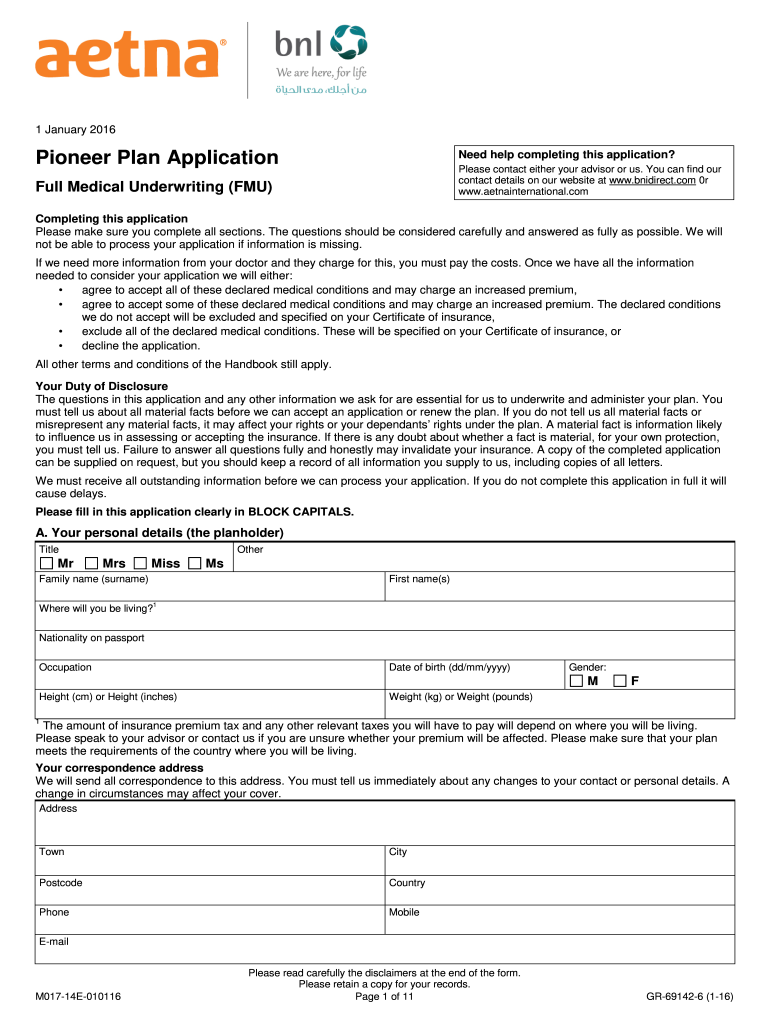
Om Full Medical Underwriting (FMU) Completing this application Please make sure you complete all sections. The questions should be considered carefully and answered as fully as possible. We will not be able to process your application if information is missing. If we need more information from your doctor and they charge for this, you must pay the costs. Once we have all the information needed to consider your application we will either: • agree to accept all of these declared medical condit.

Open form follow the instructions

Easily sign the form with your finger

Send filled & signed form or save
How to fill out the Aetna GR-69142-6 online
This guide provides step-by-step instructions to help users complete the Aetna GR-69142-6 form online. It is designed to be clear and supportive, ensuring that everyone can navigate the application process with ease.
Follow the steps to complete your Aetna GR-69142-6 application form.
- Press the ‘Get Form’ button to access the Aetna GR-69142-6 form in your online editor.
- Begin by filling out section A, which gathers your personal details. This includes your title, family name, first name(s), address, phone number, mobile number, and email. Please ensure all information is entered clearly and accurately.
- In section B, provide details for any dependants you wish to cover under the plan. You will need to include their title, name, date of birth, nationality, and occupation. Remember, height and weight information for dependants aged 17 years or younger is not required.
- Move to section C to indicate your desired cover start date. Be aware that the insurance cover will only begin upon receipt of your signed acceptance.
- Complete section D by selecting your cover options. Review the Pioneer plan levels available and choose the one that best meets your needs, along with any additional options for medical evacuation or dental coverage.
- Fill out the medical questionnaire in section E. Answer all questions regarding your and your dependants' health history truthfully and comprehensively.
- After answering the medical questionnaire, proceed to section F to declare the information's accuracy. Your signature is required here to confirm your understanding and compliance with the underwriting requirements.
- Provide your doctor’s or medical practitioner’s details in section G to facilitate any required communication regarding your health history.
- In section H, you may opt for additional plans such as Maternity or Travel. Indicate your selections as applicable.
- Review section J to confirm your preferred currency for premiums and payment method. Ensure you understand the payment options available.
- Finally, read and sign the declaration in section L, confirming that all information provided is complete and accurate. Ensure you understand the implications of signing this declaration.
- Once all sections are completed and verified for accuracy, you can save changes, download the form, print it, or share it as necessary.
Complete your Aetna GR-69142-6 application online today for efficient processing.
Experience a faster way to fill out and sign forms on the web. Access the most extensive library of templates available.
Related content
... 6. ------------- --------------------- ------------- --------------------- 2 ... AETNA...
Report of the Comptroller-General State of Georgia for the year ending Decemeber 31, 1921...
Get answers to your most pressing questions about US Legal Forms API.
What exactly does Plan G cover?
Plan G provides an extensive level of coverage for those enrolled in Medicare. It covers many healthcare expenses, including Medicare Part A coinsurance and hospital costs, as well as Part B excess charges. With Aetna GR-69142-6, you can enjoy peace of mind knowing that many potential health costs will be taken care of.
Why am I getting calls from Aetna?
If you receive calls from Aetna, it may be related to information or assistance regarding your health insurance. They might be reaching out to ensure you have the best coverage, including details about Aetna GR-69142-6. If you prefer not to receive such calls, you can request to be removed from their calling list.
What is not covered under Plan G?
While Aetna Plan G covers many significant expenses, it does not cover certain costs like the Medicare Part B deductible. Additionally, it doesn't cover routine dental, vision, or hearing care. It's essential to review these exclusions when considering Aetna GR-69142-6, so you understand your financial responsibilities.
What is Aetna insurance called now?
Aetna insurance continues to operate under the Aetna brand, providing a range of health insurance products and services to its clients. While the company has evolved, the primary plans, including Medicare supplements like Aetna GR-69142-6, remain a vital part of their offerings. You can trust Aetna to deliver quality healthcare solutions tailored to your needs.
What does the Aetna Plan G cover?
Aetna Plan G offers a comprehensive range of coverage, making it a popular choice among Medicare beneficiaries. It covers costs such as deductibles, copayments, and coinsurance, ensuring you have financial support for many healthcare services. Specifically, Aetna GR-69142-6 includes coverage for skilled nursing facility care and foreign travel emergencies.
What is Aetna Medicare supplement called?
Aetna Medicare supplement refers to the additional coverage options that Aetna provides under Medicare. These plans are designed to complement the benefits provided by Original Medicare. One of the key plans available is Aetna GR-69142-6, which covers many out-of-pocket expenses.
How can I get prior authorization fast?
To get Aetna GR-69142-6 prior authorization quickly, ensure your healthcare provider submits a complete request with all required documentation. Providing detailed information related to your condition and treatment can aid the review process. Additionally, you can stay in touch with your provider's office to track the authorization’s progress, as they may offer timely updates or recommend follow-up if needed.
Can I submit a prior authorization for myself?
While typically your healthcare provider submits the Aetna GR-69142-6 prior authorization requests, you can take initiative by gathering necessary information. You should guide your provider on the specific treatments or tests you feel you need. Make sure to communicate clearly with your provider, as they hold the responsibility to submit the request on your behalf.
Why is it so hard to get a prior authorization?
Getting a prior authorization can feel challenging because it often requires detailed information from both the patient and the healthcare provider. Each insurance company, including Aetna GR-69142-6, has specific guidelines that must be followed. This process is essential to ensure that the requested services meet medical necessity; hence, thorough documentation plays a significant role in expedited approvals.
How to download Aetna insurance card?
Downloading your Aetna GR-69142-6 insurance card is straightforward. Simply log into your Aetna account on their website or app, navigate to the section for member resources, and select your insurance card. You can then download it as a PDF or capture a screenshot, ensuring you have a copy when you need it.
Use professional pre-built templates to fill in and sign documents online faster. Get access to thousands of forms.
If you believe that this page should be taken down, please follow our DMCA take down process here.
This form is available in several versions. Select the version you need from the drop-down list below.