Get Release Of Liability, Promise Not To Sue, Assumption Of Risk And Agreement To Pay Claims Please
How it works
-

Open form follow the instructions
-

Easily sign the form with your finger
-

Send filled & signed form or save
How to use or fill out the RELEASE OF LIABILITY, PROMISE NOT TO SUE, ASSUMPTION OF RISK AND AGREEMENT TO PAY CLAIMS PLEASE online
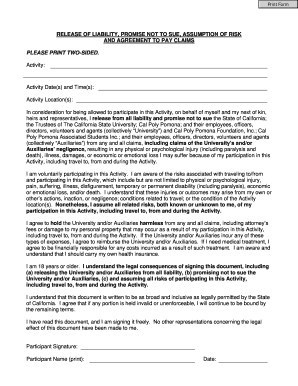
Filling out the Release of Liability form is a critical step for individuals wishing to participate in various activities organized by institutions. This guide will help you understand each part of the document and provide step-by-step instructions for completing it online.
Follow the steps to effectively complete the form.
- Click ‘Get Form’ button to obtain the form and access it in the digital editing environment.
- Begin by filling in the 'Activity' section. Clearly describe the activity you will be participating in. Make sure this is accurate, as it identifies the purpose of the form.
- Input the 'Activity Date(s) and Time(s)'. This should include the specific dates and times when the activity will occur, ensuring your participation is properly documented.
- Complete the 'Activity Location(s)' field by providing the address or location where the activity will take place. Precise details help in legal clarity.
- Review the liability release statement. This section indicates that you understand that by participating, you are relinquishing your rights to claim against the University and associated entities. Ensure you are comfortable with its content.
- Acknowledge the assumption of risk. This section outlines various risks associated with the activity. Make sure to read and understand the mentioned risks before proceeding.
- Fill in your 'Participant Signature'. Ensure this signature is yours, as it represents your agreement to the terms outlined in the document.
- Print your 'Participant Name' clearly. This should match the name you would be recognized by in legal documents.
- Enter the 'Date' you are signing the document. This should reflect the date on which you complete the form.
- If applicable, provide the signatures and details for a parent or guardian if the participant is under 18 years of age. This includes their name, signature, and signing date.
- Finally, save your changes, and choose the option to download, print, or share the form as needed for submission.
Complete your documents online today for a seamless experience!
To create a release of liability waiver, begin with a clear title that states the document's purpose. Then, outline the activities or services covered by the waiver and include a section where the individual acknowledges the risks involved. It's crucial to include a strong statement that the signer agrees to a PROMISE NOT TO SUE for any claims that arise due to the activity. Using a reliable platform like uslegalforms can help streamline this process and ensure proper legal language is used.
Industry-leading security and compliance
-
In businnes since 199725+ years providing professional legal documents.
-
Accredited businessGuarantees that a business meets BBB accreditation standards in the US and Canada.
-
Secured by BraintreeValidated Level 1 PCI DSS compliant payment gateway that accepts most major credit and debit card brands from across the globe.