Loading
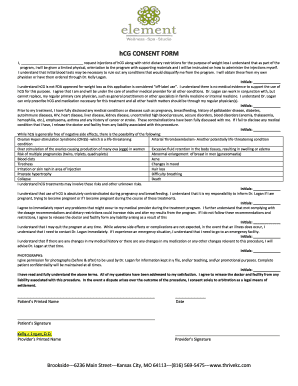
Get Mo Element Wellness Spa Studio Hcg Consent Form 2012-2026
How it works
-

Open form follow the instructions
-

Easily sign the form with your finger
-

Send filled & signed form or save
How to fill out the MO Element Wellness Spa Studio HCG Consent Form online
Filling out the MO Element Wellness Spa Studio HCG Consent Form online is a straightforward process that ensures you understand the treatment you are considering. This guide provides clear step-by-step instructions to help you complete the form accurately and confidently.
Follow the steps to successfully complete the form
- Click the ‘Get Form’ button to obtain the consent form. This action will allow you to access the document and open it in your preferred editing tool.
- Begin by entering your name in the designated area where it prompts for 'I, ________________________________'. This identifies you as the participant requesting the treatment.
- In the section discussing initial blood tests, acknowledge your understanding by placing your initials in the designated area labeled 'Initials: ______________'. This indicates your awareness of the requirement to rule out any health conditions.
- Review and initial the part stating that hCG is used off-label for weight loss and that there is no FDA approval for this purpose. Place your initials in the space provided to affirm your understanding of this critical point.
- Disclose any relevant medical conditions as instructed in the form. Ensure that you initial this section as well, confirming that you have provided complete and honest information regarding your health history.
- Carefully read the list of side effects associated with hCG treatments. Initial next to this section to confirm your acknowledgment of these potential risks.
- Indicate your understanding of the contraindications during pregnancy and breastfeeding by providing your initials in the relevant area.
- Acknowledge your commitment to report any issues that arise during the treatment and initial this section to confirm your agreement to adhere strictly to the prescribed guidelines.
- Complete the section granting permission for photographs to be taken and used for various purposes, ensuring you initial this area to show your consent.
- Finally, ensure you fully understand the terms of the agreement, and place your signature at the bottom of the document, alongside your printed name and the date of completion.
- Once all sections are completed and signed, save the changes to your document. You can choose to download, print, or share the form as necessary.
Complete your documents online to ensure all necessary consent is properly recorded and handled.