Loading
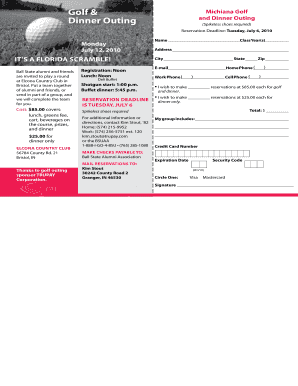
Get Golf &
How it works
-

Open form follow the instructions
-

Easily sign the form with your finger
-

Send filled & signed form or save
How to fill out the Golf & online
This guide will assist users in effectively completing the Golf & form online. By following the instructions provided, you will ensure that all required information is accurately submitted.
Follow the steps to successfully complete the Golf & form.
- Click ‘Get Form’ button to obtain the form and open it in the editor.
- Begin by entering your name in the designated field, ensuring your full name is clearly stated.
- Fill in your class year(s) as indicated on the form to establish your connection with the alumni network.
- Provide your complete address, including street address, city, state, and zip code, in the respective fields.
- Enter your email address and phone numbers (home, work, and cell) in the specified sections to ensure proper communication.
- Indicate the number of reservations for golf and dinner at the stated cost in the reservation section, or specify the number for dinner only.
- Calculate the total cost based on your selections and write this amount in the total section provided.
- If paying by credit card, fill in the credit card number, expiration date, and security code, and select the card type.
- Sign the form to acknowledge your reservation and payment authorization.
- Finally, save the completed form, and choose to download, print, or share it as needed for submission.
Complete your Golf & form online today to secure your reservations!
Filing an insurance claim involves several steps. Begin by notifying your insurance provider about the incident as soon as possible. Provide all necessary documentation and details, including the date, time, and nature of the incident. For additional guidance, refer to US Legal Forms, where you can find templates and instructions that simplify the claims process.
Industry-leading security and compliance
US Legal Forms protects your data by complying with industry-specific security standards.
-
In businnes since 199725+ years providing professional legal documents.
-
Accredited businessGuarantees that a business meets BBB accreditation standards in the US and Canada.
-
Secured by BraintreeValidated Level 1 PCI DSS compliant payment gateway that accepts most major credit and debit card brands from across the globe.