Loading
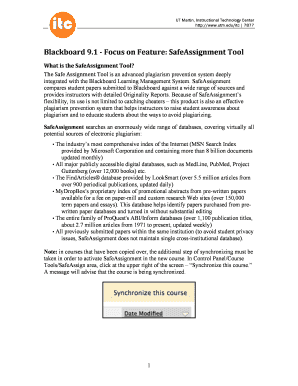
Get Safe Assignment - Utm
How it works
-

Open form follow the instructions
-

Easily sign the form with your finger
-

Send filled & signed form or save
How to fill out the Safe Assignment - Utm online
This guide provides clear and helpful instructions on how to fill out the Safe Assignment - Utm form online. By following these steps, users can ensure a successful submission while understanding the importance of plagiarism detection in academic work.
Follow the steps to complete your Safe Assignment - Utm form.
- Click the ‘Get Form’ button to access the Safe Assignment - Utm form. This will open the form in an online editor for you to fill out.
- Begin by entering the required information in the designated fields. Ensure accuracy in naming your assignment and setting the points possible.
- Complete the instructions section by typing clear guidelines for the assignment. This will help users understand the expectations and requirements.
- Specify the availability dates for your assignment. Determine when the assignment will open for submissions and if you want to set a due date.
- If desired, enable the draft option to allow students to submit preliminary versions of their work. This helps them avoid plagiarism by not contributing drafts to the institutional search database.
- Set the urgent checking feature if you need faster processing for specific assignments. This setting helps prioritize submissions accordingly.
- Decide if students will be able to view their originality reports after submission by toggling the student viewable option.
- Once all fields are completed and accurately filled, review your entries, then save the changes. You can then download, print, or share the completed form as needed.
Complete your Safe Assignment - Utm online today to ensure your submission is properly recorded and assessed.
Scores in excess of 35% indicate an overreliance on outside source material. No Research Required: If the assignment does not call for any research or reference to outside sources, the SafeAssign score should be less than 10%.
Industry-leading security and compliance
US Legal Forms protects your data by complying with industry-specific security standards.
-
In businnes since 199725+ years providing professional legal documents.
-
Accredited businessGuarantees that a business meets BBB accreditation standards in the US and Canada.
-
Secured by BraintreeValidated Level 1 PCI DSS compliant payment gateway that accepts most major credit and debit card brands from across the globe.