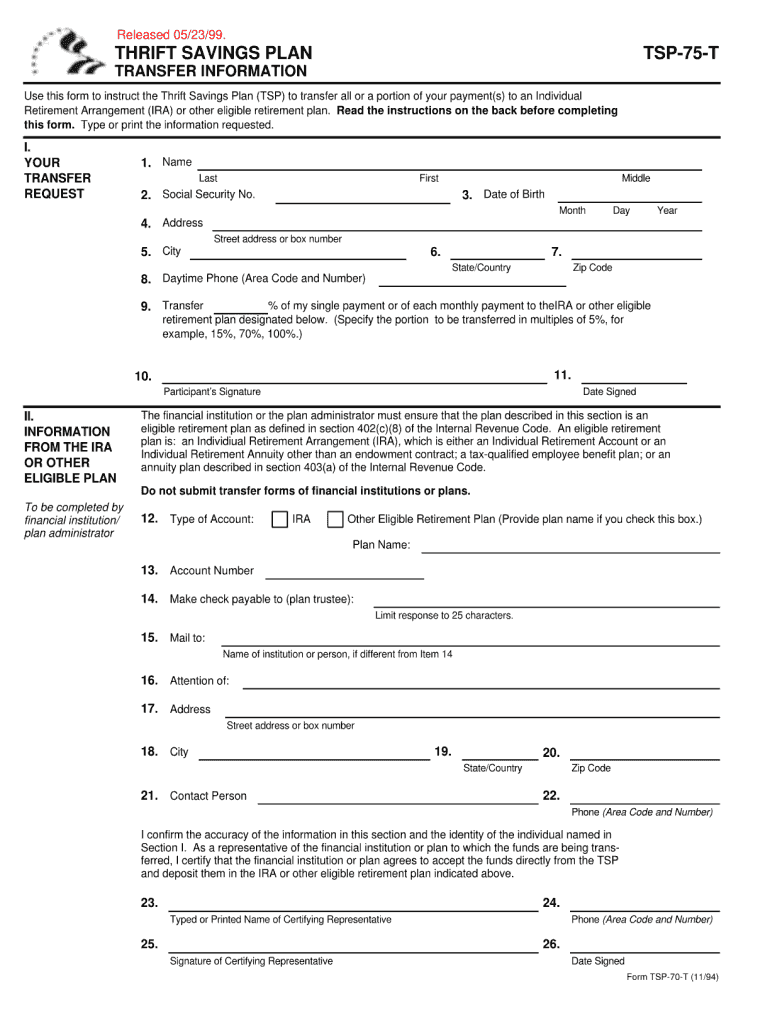
Released 05/23/99. THRIFT SAVINGS PLAN TRANSFER INFORMATION Use this form to instruct the Thrift Savings Plan (TSP) to transfer all or a portion of your payment(s) to an Individual Retirement Arrangement.
Loading

Open form follow the instructions

Easily sign the form with your finger

Send filled & signed form or save
How to fill out the TSP-75-T online
Completing the TSP-75-T form online is a straightforward process that ensures your information is accurately submitted for your records. This guide will walk you through each step, providing clarity and support to help you successfully navigate the form.
Follow the steps to complete the TSP-75-T form online
- Click ‘Get Form’ button to obtain the form and open it in your browser.
- Begin by entering your personal information in the designated fields. Ensure that all details are accurate and up-to-date.
- Proceed to fill out the sections related to your account preferences. Carefully read each option to select the choices that best align with your needs.
- Review the additional information fields, providing any necessary context or details that may be pertinent to your application.
- Double-check all entered information for accuracy before proceeding. Pay special attention to numbers and dates.
- Once all sections are complete, you will have the option to save your changes. You can choose to download, print, or share the form as needed.
Take the next step towards managing your documents efficiently—complete the TSP-75-T online today!
Experience a faster way to fill out and sign forms on the web. Access the most extensive library of templates available.
Related content
May 6, 2023 — On this page, you can view and download publications and fact sheets with...
by S Lin · 1973 · Cited by 6019 — This paper discusses a highly effective heuristic...
Para evitar risco de incêndio ou choque elétrico, não exponha o aparelho à chuva ou à...
Get answers to your most pressing questions about US Legal Forms API.
What do I do if I didn't receive my 1099-R?
If you did not receive your 1099-R, first check your TSP account online to see if it is available for download. If not, you should contact TSP customer service to inquire about your missing form. Additionally, consider the TSP-75-T for guidance on how to proceed in this situation.
How do I get my 1099-R from TSP?
To get your 1099-R from TSP, log into your TSP account online. Here, you can navigate to the tax documents area where your 1099-R form is available for view and download. If you encounter any difficulties, consider contacting TSP support for assistance or exploring resources like US Legal Forms for availability.
What is a TSP 75 form?
The TSP 75 form is a specific document used for processing withdrawals from your TSP account. It outlines the details of your withdrawal request, including the type and amount. Completing the TSP-75-T correctly is essential to ensure that your request is processed efficiently and accurately.
Where do I get TSP withdrawal forms?
TSP withdrawal forms can be obtained directly from the official TSP website. You will find all necessary forms under the withdrawal options section, making it easy to choose the TSP-75-T form that best suits your needs. If you need additional assistance, platforms like US Legal Forms provide downloadable versions, streamlining the process.
How do I get my TSP 1099-R?
You can acquire your TSP 1099-R by logging into your TSP account. Once logged in, locate the tax documents section where you can view, download, or print your 1099-R. If you prefer, you can also request a paper copy to be mailed to you, ensuring you stay informed about your TSP-75-T documentation.
How do I claim my TSP on my taxes?
To claim your TSP on your taxes, you will need to report the distributions made from your TSP account using the information provided in your 1099-R. Ensure you accurately input the amounts on your tax return, as these withdrawals can affect your taxable income. Utilizing the TSP-75-T can also guide you through this process.
Can I get a copy of my 1099-R online?
Yes, you can obtain a copy of your 1099-R online through your TSP account. Simply log in to your account and navigate to the tax documents section. This should allow you to download or print the TSP-75-T form, ensuring you have the necessary information for your tax filings.
How do I report my TSP on my taxes?
When reporting your TSP on your taxes, it’s important to start with the distribution form you receive, which reflects your TSP-75-T contributions. You’ll report this information on your tax return, typically using Form 1040. Ensure you keep proper documentation to support your entries, and don’t hesitate to use platforms like US Legal Forms for comprehensive resources to navigate tax reporting seamlessly.
How do I submit TSP catch up contributions?
To submit TSP catch up contributions, you first need to confirm your eligibility for the TSP-75-T. Then, log into your TSP account and navigate to the contribution section. You can directly elect to make catch-up contributions by following the on-screen instructions. If you face any challenges, consulting resources like US Legal Forms can provide clear guidance on the process.
What is the average TSP balance at retirement?
The average TSP balance at retirement varies widely based on individual contributions and market conditions, but many participants can accumulate substantial savings over their careers. Reports indicate that balances can often reach into the six-figure range, especially for those who consistently invest in their TSP accounts. Utilizing tools and resources related to the TSP-75-T can help you stay informed and boost your savings.
Use professional pre-built templates to fill in and sign documents online faster. Get access to thousands of forms.
If you believe that this page should be taken down, please follow our DMCA take down process here.