Loading
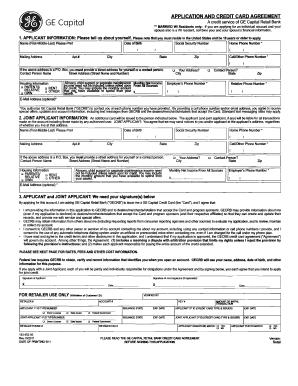
Get Ge Capital 183-953-00 2011-2026
How it works
-

Open form follow the instructions
-

Easily sign the form with your finger
-

Send filled & signed form or save
How to fill out the GE Capital 183-953-00 online
The GE Capital 183-953-00 is an important application form for obtaining a GE Capital credit card. This guide provides a user-friendly approach to completing the form online, ensuring that users of all backgrounds can successfully navigate through the required fields.
Follow the steps to complete your application successfully.
- Click ‘Get Form’ button to obtain the form and open it in the editor.
- Begin by filling in the Applicant Information section. You will need to provide your name, mailing address, social security number, phone number, email address (optional), and income details. Ensure that all information is accurate and up to date.
- If you are applying for a joint account, fill out the Joint Applicant Information section. This requires similar details for the joint applicant, including their name, mailing address, social security number, income, and consent for joint liability.
- Review the Applicant and Joint Applicant signature sections. Both parties must provide signatures to authorize the application and agree to the terms stated in the form.
- Before submitting, carefully review all entered information for accuracy. Make any necessary corrections.
- Once you are satisfied with the information provided, you can save your changes, download a copy of the form, or print it for your records. Ensure to share the completed document accordingly.
Complete your GE Capital 183-953-00 application online today for a smoother financial journey.
To contact GE Capital, visit their official website to access customer support resources. They provide several options, including phone numbers and email contacts, tailored to various services under GE Capital 183-953-00. It is recommended to check their website for the most current contact details.