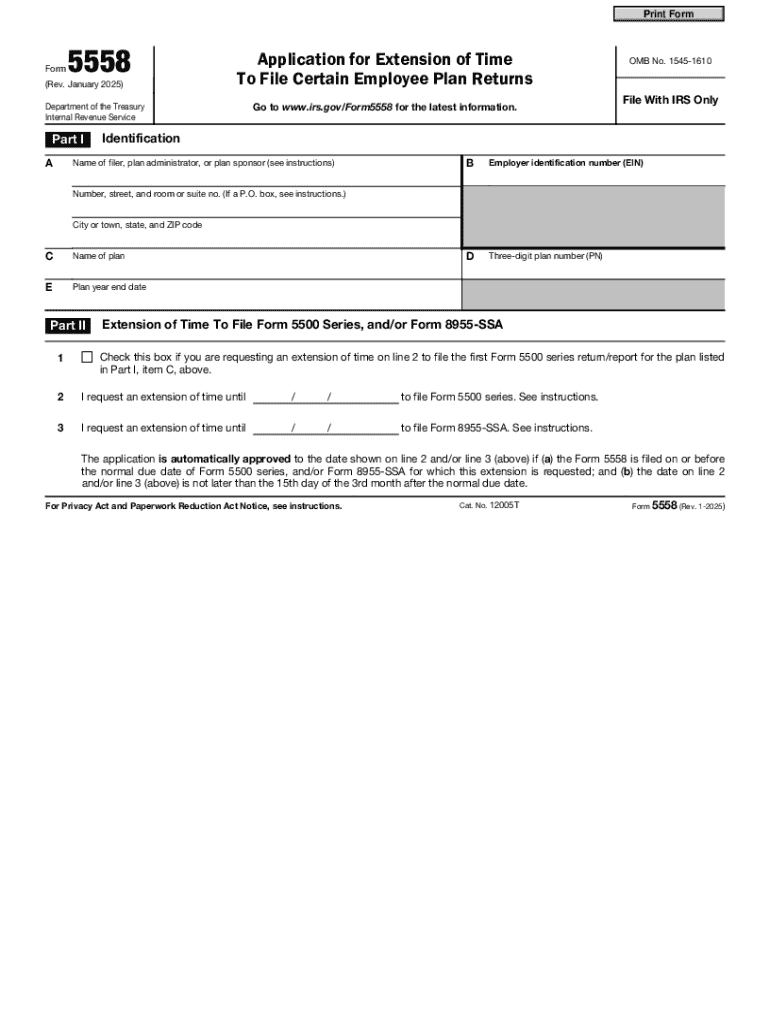
Orm5558 for the latest information. OMB No. 1545-1610 File With IRS Only Identification Name of filer, plan administrator, or plan sponsor (see instructions) B Employer identification number (EIN) D Three-digit plan number (PN) Number, street, and room or suite no. (If a P.O. box, see instructions.) City or town, state, and ZIP code C Name of plan E Plan year end date Part II Extension of Time To File Form 5500 Series, and/or Form 8955-SSA 1 Check this box if you are requesting.
Loading

Open form follow the instructions

Easily sign the form with your finger

Send filled & signed form or save
How to use or fill out the Form 5558 (Rev. January 2025) online
Form 5558 is an essential document for individuals or entities seeking an extension of time to file certain employee plan returns. This guide provides a clear, step-by-step walkthrough on how to complete the form effectively online, ensuring you meet all necessary requirements and deadlines.
Follow the steps to complete Form 5558 online successfully.
- Press the ‘Get Form’ button to access the online form for Form 5558 and open it in your preferred document editor.
- Begin by entering the name of the filer, plan administrator, or plan sponsor in Part I, section A.
- Input the employer identification number (EIN) in the designated field (part I, section B), formatted as nine digits in the form XX-XXXXXXX.
- Enter the three-digit plan number (PN) assigned to the plan in Part I, section D.
- Complete the address fields, including the street number, city, state, and ZIP code in Part I, section A.
- Provide the formal name of the plan in Part I, section C and ensure that the provided information matches previous filings.
- In Part I, section E, specify the plan year end date in the MM/DD/YYYY format.
- In Part II, indicate if you are requesting an extension for the first Form 5500 series with a check in the appropriate box.
- For line 2, enter the new due date for filing the Form 5500 series; this cannot exceed the 15th day of the 3rd month after the normal due date.
- For line 3, enter the requested due date for filing Form 8955-SSA, following similar date constraints.
- Review all sections for accuracy and completeness to avoid processing delays.
- Finalize your form by saving changes, downloading, printing, or sharing the completed document as necessary.
Complete and submit your Form 5558 online to ensure you meet your filing deadlines.
Experience a faster way to fill out and sign forms on the web. Access the most extensive library of templates available.
Related content
Beginning January 1, 2025, Form 5558 can be filed electronically through EFAST2 or can be...
January 13, 2025. January 13, 2025. March 10, 2025. February 10, 2025. Last day ... The...
Jan 28, 2025 — It is the smallest city in Gyeongsangbuk-do in terms of area, and was...
Use professional pre-built templates to fill in and sign documents online faster. Get access to thousands of forms.
If you believe that this page should be taken down, please follow our DMCA take down process here.