Loading
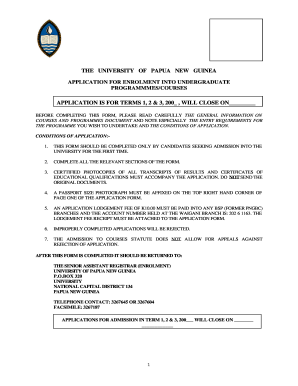
Get Upng Application For Enrolment Into Undergraduate Programmes/courses
How it works
-

Open form follow the instructions
-

Easily sign the form with your finger
-

Send filled & signed form or save
How to fill out the UPNG Application for Enrolment Into Undergraduate Programmes/Courses online
This guide provides comprehensive instructions for completing the UPNG Application for Enrolment Into Undergraduate Programmes/Courses online. Follow the steps carefully to ensure a successful application process.
Follow the steps to complete your application accurately.
- Press the 'Get Form' button to access the application form and open it in the specified editor.
- Begin with section 1, personal details. Provide your surname, first name, and middle name. Select your gender by ticking the appropriate box and enter your date of birth and place of birth. Fill in your marital status, district, province, and nationality.
- If you are a non-citizen, complete section 2. Indicate your country of birth and the date you arrived in Papua New Guinea. Answer whether you are a bona fide dependant of an employee in the country.
- In section 3, provide your postal address. Fill in both the address and the relevant time frame to ensure the university can contact you regarding your application.
- In section 4, educational history, detail your secondary and high school education. Include the name and postal address of the institutions, years attended, and provide copies of your educational certificates.
- If applicable, complete section 4 further by providing details on the UPNG Matriculation program or any tertiary education, including your past and current enrolment details and grades.
- In section 5, employment history, list all major jobs since leaving school, including the period, occupation, and employer's name.
- Complete section 6 by obtaining a reference from your current or last employer, who should provide feedback on your character, performance, and potential for further studies.
- In section 7, indicate your program preferences by numbering them (1, 2, 3) and ticking either the internal or external mode of study as appropriate.
- If enrolling in distance learning, complete section 8 by selecting the nearest university center to you.
- In section 9, make your declaration by signing and dating the application. Ensure a witness also provides their full name, signature, title, and date.
- Note that sponsorship is discussed in section 10. It is your responsibility to secure funding, and if seeking Natschol Sponsorship, contact the appropriate office.
- Finally, review all sections for accuracy. You can save your changes, download, print, or share the completed form online as required before submission.
Complete your UPNG application online today for a chance to enroll in your desired program.
UPNG offers a variety of undergraduate courses across different disciplines for the 2025 academic year. These programs include fields like business, social sciences, arts, and more. To explore these options further, the UPNG Application for Enrolment Into Undergraduate Programmes/Courses provides insights into available courses and helps you select the right path for your future.