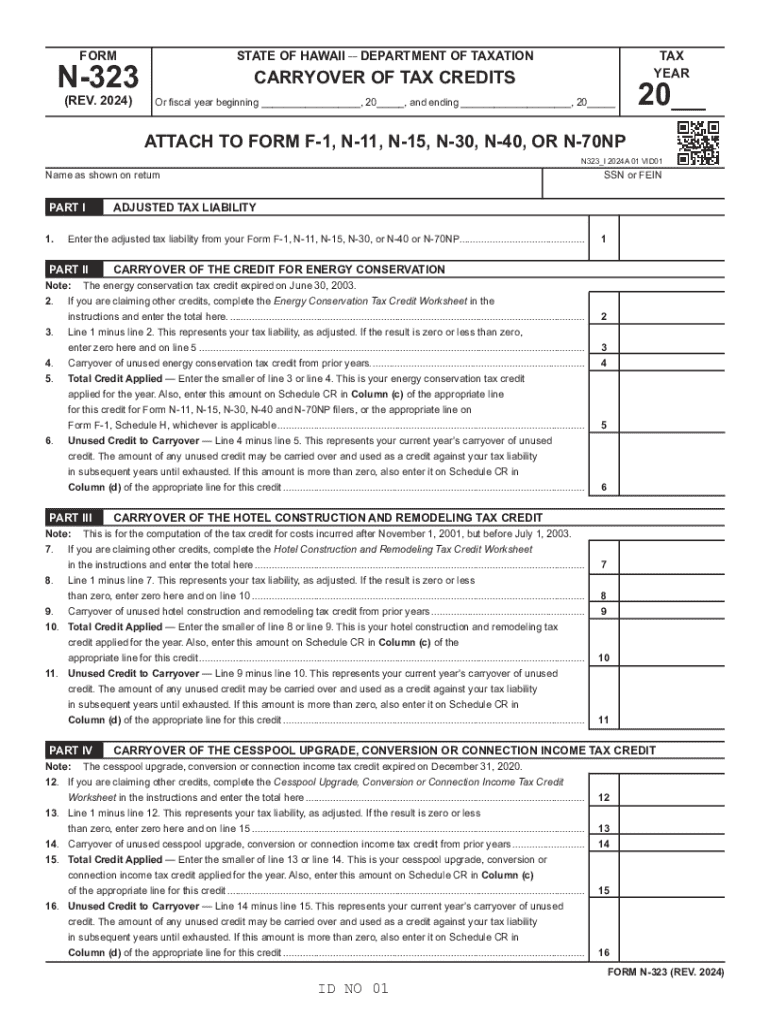
Clear Form FORM STATE OF HAWAII DEPARTMENT OF TAXATION (REV. 2024) Or fiscal year beginning , 20 , and ending , 20 N-323 TAX YEAR CARRYOVER OF TAX.

Open form follow the instructions

Easily sign the form with your finger

Send filled & signed form or save
How to fill out the HI DoT N-323 online
Filling out the HI DoT N-323 form can be a straightforward process with the right guidance. This document is used for reporting the carryover of various tax credits, providing important details for users to ensure accurate submissions.
Follow the steps to accurately complete your HI DoT N-323 form online.
- Click the ‘Get Form’ button to access the form and open it in your preferred online editor.
- Enter your name as it appears on your tax return in the designated space.
- Fill in your Social Security Number (SSN) or Federal Employer Identification Number (FEIN) in the appropriate field.
- Provide your adjusted tax liability from your prior Form F-1, N-11, N-15, N-30, or N-40 or N-70NP.
- In Part II, if you are claiming other credits, complete the Energy Conservation Tax Credit Worksheet as instructed, and enter the total amount here.
- Calculate your adjusted tax liability by subtracting line 2 from line 1. If the outcome is zero or negative, enter zero on line 5.
- Indicate any carryover of unused energy conservation tax credit from previous years.
- Enter the smaller amount from line 3 or line 4 on the section for total credit applied.
- Calculate and record the unused credit to carryover, if applicable.
- Continue through Parts III to X following similar steps, ensuring all necessary worksheets are completed and all figures are accurately calculated.
- After reviewing all entries for accuracy, save changes, and choose to download, print, or share the completed form as needed.
Complete your HI DoT N-323 form online today for a smooth tax reporting experience.
Experience a faster way to fill out and sign forms on the web. Access the most extensive library of templates available.
Use professional pre-built templates to fill in and sign documents online faster. Get access to thousands of forms.
If you believe that this page should be taken down, please follow our DMCA take down process here.