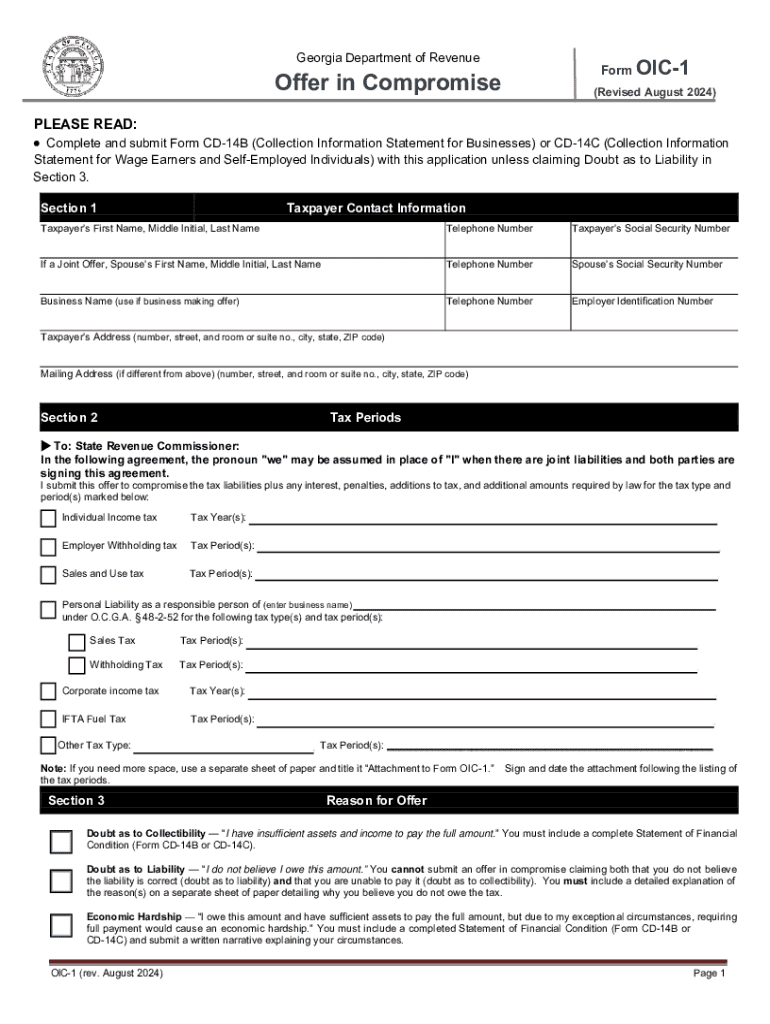
PrintClearSave FormGeorgia Department of RevenueForm OIC1Offer in Compromise(Revised July 2016)PLEASE READ: Complete and submit Form CD14B (Collection Information Statement for Businesses) or CD14C.

Open form follow the instructions

Easily sign the form with your finger

Send filled & signed form or save
How to fill out the GA OIC-1 online
The GA OIC-1 form, also known as the Offer in Compromise, is essential for individuals seeking relief from their tax liabilities with the Georgia Department of Revenue. This guide walks you through the process of filling out the form online, providing clear and supportive instructions to ensure your application is completed accurately.
Follow the steps to successfully complete your GA OIC-1 application.
- Click ‘Get Form’ button to obtain the form and open it for completion.
- Enter taxpayer contact information in Section 1, including names, telephone numbers, and social security numbers for both taxpayer and spouse if applicable. Ensure all details are accurate to avoid processing delays.
- For Section 2, mark the appropriate tax periods and types for which you are submitting an offer. Clearly indicate any additional tax types and periods on a separate attachment if necessary.
- In Section 3, specify your reason for the offer. Select from options such as ‘Doubt as to Collectibility,’ ‘Doubt as to Liability,’ or ‘Economic Hardship.’ Provide thorough explanations as needed.
- If you qualify, use Section 4 to certify your low-income status to waive the application fee. Mark the appropriate box and ensure you meet the income guidelines listed.
- In Section 5, detail the payment terms by entering the offer amount and selecting a payment option. Specify the down payment if applicable, and complete the required financial institution information for direct debits if choosing monthly installments.
- Outline your source of funds to cover the offer in Section 6, including any loans or asset sales. Be specific about how you will secure the funds.
- Review and agree to the terms outlined in Section 7, ensuring you understand your obligations regarding the offer and consent to the conditions specified.
- Complete the mandatory signatures in Section 9, ensuring both taxpayer and spouse (if applicable) sign and date the application accurately.
- If someone else prepares your application, fill out Section 10 with the preparer's information. If allowing a third party to discuss the offer, indicate this in Section 11 and provide their contact details.
- Finally, save your completed form. You may download, print, or share it through your chosen method for submission.
Compete your GA OIC-1 form online today to take the first step towards resolving your tax liabilities.
Experience a faster way to fill out and sign forms on the web. Access the most extensive library of templates available.
Use professional pre-built templates to fill in and sign documents online faster. Get access to thousands of forms.
If you believe that this page should be taken down, please follow our DMCA take down process here.