Get Sc Dor Sc1041 2024-2026
Loading
How it works

Open form follow the instructions

Easily sign the form with your finger

Send filled & signed form or save
How to fill out the SC DoR SC1041 online
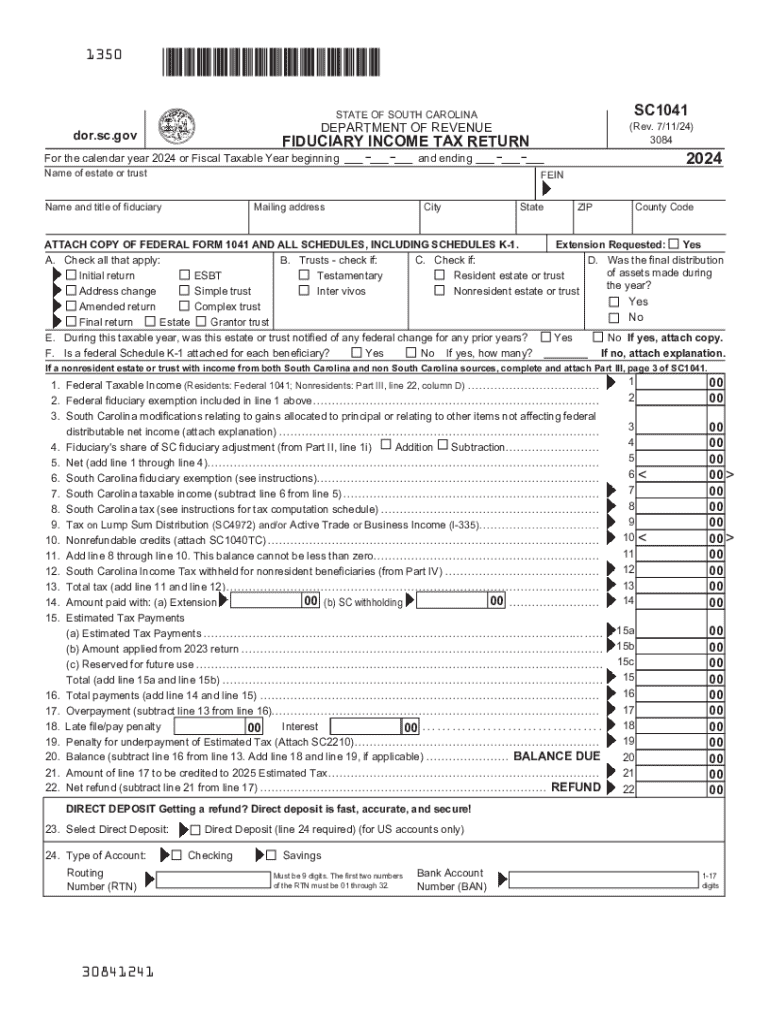
Filling out the SC DoR SC1041, the South Carolina fiduciary income tax return, can seem daunting. However, with clear guidance on each section of this form, users can navigate the online process confidently and accurately.
Follow the steps to complete your SC DoR SC1041 easily.
- Press the ‘Get Form’ button to obtain the SC DoR SC1041 and open it in your editing tool.
- Begin by entering the name of the estate or trust in the designated field, followed by the federal employer identification number (FEIN).
- Fill in the name and title of the fiduciary, along with the mailing address, city, state, ZIP code, and county code as required.
- Indicate if an extension is requested and check all applicable options under sections A to E based on the status of the estate or trust.
- Enter the federal taxable income if applicable, and provide details for the South Carolina adjustments, including any modifications necessary.
- Continue filling out the various fields related to income tax, including payments made, and credits, ensuring accuracy on all sums.
- In the direct deposit section, enter your routing number and bank account number if you prefer to receive your refund via direct deposit.
- Review all entries for accuracy before saving your changes. You may download or print the completed form for your records.
Complete your SC DoR SC1041 online today to ensure timely filing and compliance.
Get form
Experience a faster way to fill out and sign forms on the web. Access the most extensive library of templates available.
Get This Form Now!
Use professional pre-built templates to fill in and sign documents online faster. Get access to thousands of forms.
If you believe that this page should be taken down, please follow our DMCA take down process here.