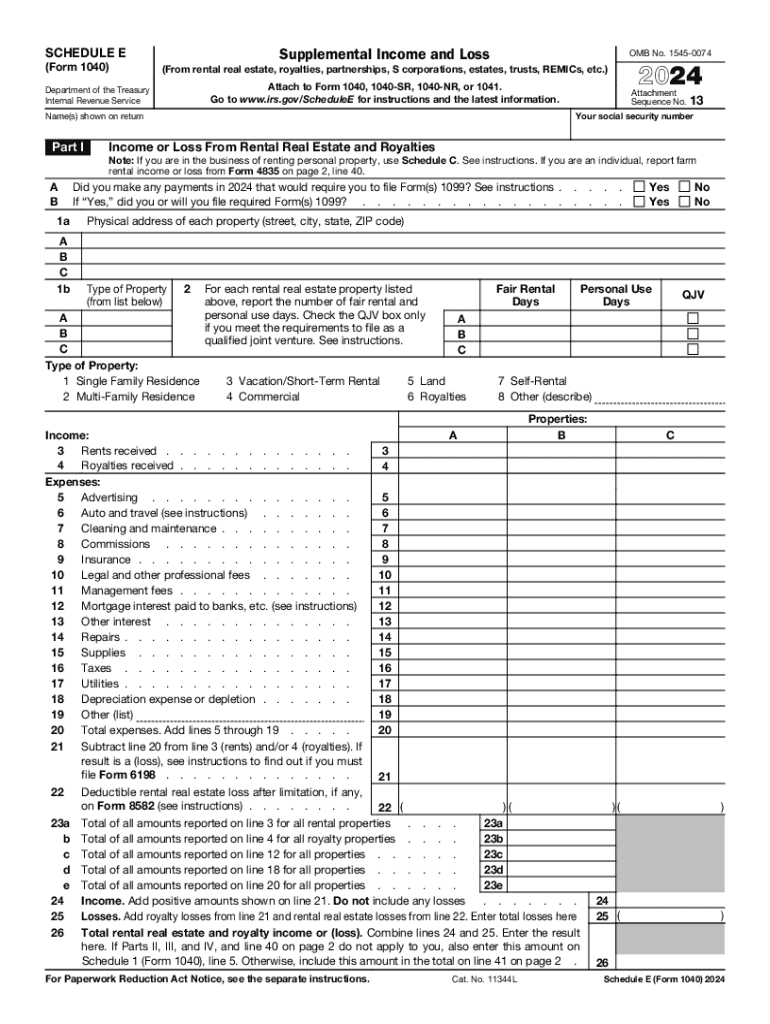
B 1a A B C 1b Attachment Sequence No. 13 Your social security number Name(s) shown on return Part I 2024 (From rental real estate, royalties, partnerships, S corporations, estates, trusts, REMICs, etc.) Department of the Treasury Internal Revenue Service Income or Loss From Rental Real Estate and Royalties Note: If you are in the business of renting personal property, use Schedule C. See instructions. If you are an individual, report farm rental income or loss from Form 4835 on page 2,.
Loading

Open form follow the instructions

Easily sign the form with your finger

Send filled & signed form or save
How to fill out the IRS Schedule E Walkthrough (Supplemental Income & Loss) online
Filling out the IRS Schedule E Walkthrough for Supplemental Income & Loss can be a straightforward process when approached step by step. This guide aims to provide a clear, comprehensive overview to help you complete the form accurately online.
Follow the steps to successfully complete your Schedule E.
- Press the ‘Get Form’ button to access the IRS Schedule E form and open it in the online editor.
- Begin with your personal information, including your Social Security number and the name(s) shown on the return at the top of the form.
- In Part I, report income or loss from rental real estate and royalties. Provide details on properties, including their physical addresses and type of property. Indicate the number of fair rental days and personal use days for each property.
- Fill in the income section by reporting rents received and royalties received. Be sure to enter amounts accurately as per your records.
- In the expenses section, itemize your expenditures related to the rental activities, such as advertising, maintenance, commissions, and utilities. Enter the respective amounts in the appropriate fields.
- Calculate total expenses by summing up the amounts listed from lines 5 through 19, and enter that total in the designated area.
- Subtract total expenses from income to determine your overall income or loss. If you have a loss, refer to the instructions on whether additional forms are needed.
- Proceed to Part II for income or loss from partnerships and S corporations. Report any necessary information as required in each section, including income and deductions.
- Continue to Part III to report income or loss from estates and trusts, completing any required fields.
- Finally, review all entered information for accuracy and completeness, then save your changes. You can choose to download, print, or share the completed form as needed.
Start filling out your IRS Schedule E Walkthrough online today to ensure a smooth filing process.
Experience a faster way to fill out and sign forms on the web. Access the most extensive library of templates available.
Related content
Use the same format as on Schedule E. Enter separately on Schedule E the total income and...
Nov 2, 2011 — Enter separately on Schedule E the total income and the total loss for...
You must report ordinary income from virtual currency on Form 1040, U.S. Individual Tax...
Use professional pre-built templates to fill in and sign documents online faster. Get access to thousands of forms.
If you believe that this page should be taken down, please follow our DMCA take down process here.