Loading
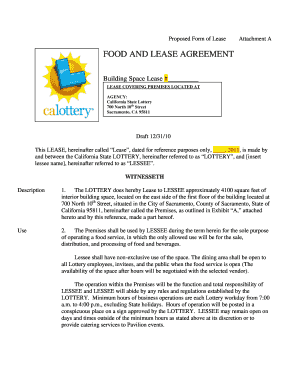
Get Attachment A - Tenant Lease Draft.doc
How it works
-

Open form follow the instructions
-

Easily sign the form with your finger
-

Send filled & signed form or save
How to fill out the Attachment A - Tenant Lease Draft.doc online
This guide provides a comprehensive walkthrough for users looking to complete the Attachment A - Tenant Lease Draft.doc online. It offers step-by-step instructions for each section, ensuring clarity and support for all users, regardless of their legal experience.
Follow the steps to complete the lease agreement form online.
- Click the ‘Get Form’ button to access the lease document. This will allow you to open it in your preferred online editor for filling out.
- Begin by entering the lease date in the specified field, which is set for reference purposes only. Make sure to insert the correct date.
- Fill in the name of the lessee in the designated space following 'LESSEE referred to as.' This ensures accurate identification of the contracting party.
- In section 1, describe the leased premises by entering the approximate square footage and location details provided in the lease document.
- For the 'Use' section, specify the intended use of the premises as operating a food service, including any additional services you plan to offer.
- Complete the 'Term' field by indicating the start and end date of the lease as stated within the document.
- In the 'Rent' section, provide the appropriate rent amount and calculations based on the table included, referencing the net profit as defined.
- Review all provided details for accuracy and completeness before finalizing your entry.
- Once you have completed filling out all sections of the lease, save your changes, download a copy for your records, and print or share the document as needed.
Complete your lease agreement online today for a smooth and efficient process.
Industry-leading security and compliance
US Legal Forms protects your data by complying with industry-specific security standards.
-
In businnes since 199725+ years providing professional legal documents.
-
Accredited businessGuarantees that a business meets BBB accreditation standards in the US and Canada.
-
Secured by BraintreeValidated Level 1 PCI DSS compliant payment gateway that accepts most major credit and debit card brands from across the globe.