Loading
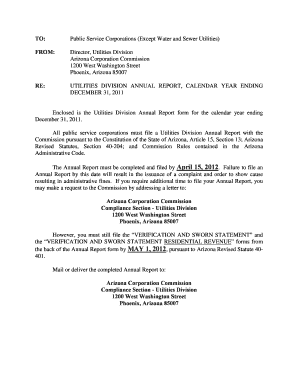
Get Director, Utilities Division
How it works
-

Open form follow the instructions
-

Easily sign the form with your finger
-

Send filled & signed form or save
How to fill out the Director, Utilities Division online
Filling out the Director, Utilities Division form online is an essential process for public service corporations. This guide will provide clear and concise instructions on how to properly complete each section of the form, ensuring compliance with state regulations.
Follow the steps to complete your Annual Report accurately.
- Click ‘Get Form’ button to obtain the form and open it in the editor.
- Begin with the Company Information section. Provide the full legal name of your business, followed by the mailing address, including street, city, state, and zip code, as well as contact numbers and email address. Ensure that all the information is accurate and up to date.
- Next, complete the Management Information section. Fill in the names, titles, and contact details for the regulatory contact, management contact, on-site manager, statutory agent, and attorney. It is important to provide correct and complete information for effective communication.
- In the Ownership Information section, select the appropriate box indicating the business structure of your company. This could be a Sole Proprietor, Corporation, Partnership, etc. Be sure to choose accurately as it affects regulatory compliance.
- Move to the Counties Served section and check all counties where your corporation is certified to provide service. This information helps establish service reach and accountability.
- In the Services Authorized to Provide section, check all applicable service categories that your business is authorized to deliver. This ensures that the report reflects the actual scope of services available to customers.
- For telecommunication utilities only, complete the Statistical Information section. Fill in the required metrics related to customer access lines, revenues, and employees. Make sure to include accurate financial data to reflect your operations accurately.
- Proceed to the Utility Shutoffs/Disconnects section. Document any service terminations, both with and without notice, for each month of the reporting year. This data is critical for regulatory review.
- Complete the Verification and Sworn Statement sections, ensuring all required fields are filled correctly. This includes gross operating revenue and sales tax information. Sign and date the form as required.
- Attach the year-end financial statements, as mandated. If you do not compile these reports, consider obtaining the blank financial statements from the Utilities Division.
- Lastly, review all sections for accuracy before saving your changes. You can choose to download, print, or share the completed document as necessary.
Begin filling out your Director, Utilities Division form online today to ensure compliance and avoid penalties.
Rachel Peterson is the CPUC's Executive Director.
Industry-leading security and compliance
US Legal Forms protects your data by complying with industry-specific security standards.
-
In businnes since 199725+ years providing professional legal documents.
-
Accredited businessGuarantees that a business meets BBB accreditation standards in the US and Canada.
-
Secured by BraintreeValidated Level 1 PCI DSS compliant payment gateway that accepts most major credit and debit card brands from across the globe.