Loading
Get Huntington Beach City School District Graphing Skill
How it works
-

Open form follow the instructions
-

Easily sign the form with your finger
-

Send filled & signed form or save
How to fill out the Huntington Beach City School District Graphing Skill online
This guide provides step-by-step instructions on how to complete the Huntington Beach City School District Graphing Skill form online. By following these directions, users can effectively fill out each section with confidence and accuracy.
Follow the steps to complete the form accurately.
- Click ‘Get Form’ button to obtain the form and open it in the editor.
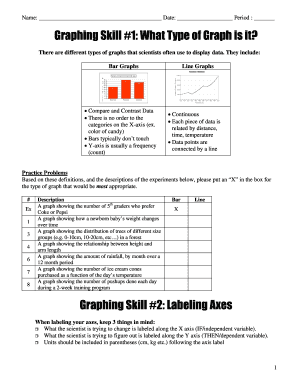
- Begin with the section titled 'Graphing Skill #1: What Type of Graph is it?'. Review the definitions of bar graphs and line graphs. For each practice problem, place an 'X' in the appropriate box corresponding to the type of graph that best represents the data described.
- Proceed to 'Graphing Skill #2: Labeling Axes'. For each experiment, accurately label the X and Y axes based on the variables involved. Remember to include the units in parentheses following each axis label.
- Next, move to 'Graphing Skill #3: Creating Titles'. Write a clear title for each graph based on the experiment descriptions, ensuring it reflects the relationship being examined.
- Continue to 'Graphing Skill #4: Plotting Points'. Follow the steps provided for plotting the points based on the given data. Make sure to accurately select the pairs of values and correctly plot them on the graph.
- Once all sections are filled out, review your entries for accuracy. After confirming that all information is complete, you can save changes, download, print, or share the form as necessary.
Complete your document online today for a seamless experience.