Loading
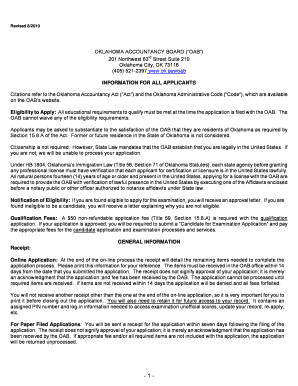
Get Candidate File No - State Of Oklahoma - Ok
How it works
-

Open form follow the instructions
-

Easily sign the form with your finger
-

Send filled & signed form or save
How to fill out the Candidate File No - State Of Oklahoma - Ok online
Completing the Candidate File No for the State of Oklahoma is an essential step for individuals seeking to apply for certification as a certified public accountant or public accountant. This guide offers clear, step-by-step instructions to help you successfully navigate the online application process.
Follow the steps to complete your application online.
- Press the ‘Get Form’ button to access the application form. Make sure to open it in your browser or compatible editor.
- Begin by entering your title and full name, including lineage if applicable (e.g., Jr., Sr.). Ensure the information is accurate for identification purposes.
- Fill in your residential address clearly, using only the street address without including P.O. Box numbers.
- Provide your mailing address if different from your residence address to ensure that you receive important correspondence.
- Indicate whether you are applying for qualification as a certified public accountant (CPA) or as a public accountant (PA).
- Enter your Social Security number in the format XXX-XX-XXX and your date of birth in MM/DD/YYYY format.
- Include your daytime telephone number and home telephone number, making sure to add area codes.
- Respond to the question about any previous applications. If applicable, indicate if your status was inactivated, if your application was denied, or if you withdrew your application.
- Complete the questions regarding your residency status and any disability accommodations required, if relevant.
- Check the appropriate boxes related to your citizenship, residency, and employment status. Ensure that any required evidence is attached.
- When you reach the moral character questions, answer truthfully and attach any necessary explanations if you answer 'yes' to any of the questions.
- Provide contact information for two individuals who are not your employer, so the board can reach out to you if necessary.
- Submit a recent passport-type photograph adhering to the specified dimensions and requirements outlined in the application instructions.
- Review all your entries for accuracy, print your name, sign the application, and date it where indicated.
- Complete the affidavit verifying your lawful presence in the United States, signing before a notary public or authorized officer.
- Once completed, save changes, download, and securely store your application, or print it for submission.
Start your application process online today to take your next step towards certification in accounting!
Industry-leading security and compliance
US Legal Forms protects your data by complying with industry-specific security standards.
-
In businnes since 199725+ years providing professional legal documents.
-
Accredited businessGuarantees that a business meets BBB accreditation standards in the US and Canada.
-
Secured by BraintreeValidated Level 1 PCI DSS compliant payment gateway that accepts most major credit and debit card brands from across the globe.