Loading
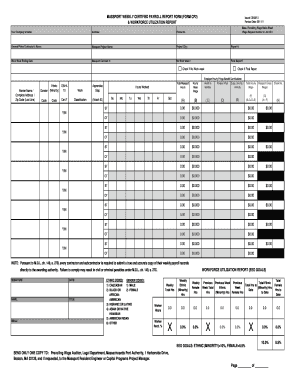
Get Ma Massport Weekly Certified Payroll Report Form (form Cp2) & Workforce Utilization Report 2011-2026
How it works
-

Open form follow the instructions
-

Easily sign the form with your finger
-

Send filled & signed form or save
How to fill out the MA Massport Weekly Certified Payroll Report Form (Form CP2) & Workforce Utilization Report online
The MA Massport Weekly Certified Payroll Report Form (Form CP2) and the Workforce Utilization Report are essential documents for contractors working on Massport projects. This guide will provide you with clear instructions on how to complete these forms accurately online, ensuring compliance with prevailing wage laws.
Follow the steps to complete the form successfully.
- Click the ‘Get Form’ button to access the report form and open it in the available editing interface.
- Begin by entering your Company’s Name, Address, and Phone Number at the top of the form. This identifies your organization.
- Fill in the General/Prime Contractor's Name and the Massport Project Name. Ensure these details are accurate for project tracking.
- Provide the Report Number and the Work Week Ending Date. It is crucial to align these dates with your payroll records.
- Input the Massport Contract Number. This links your payroll submission to the specific contract under which the work was performed.
- State whether there was a No Work Week and check the box if applicable.
- For each worker, enter their Name, Complete Address, Zip Code, Gender, and Ethnic Code. This data is essential for compliance with workforce demographic reporting.
- Indicate whether each worker has completed OSHA training and note their status as an apprentice if applicable.
- Enter the Classification Code and ensure any required ID is attached. This classification needs to match the worker’s role.
- Record the Employer Hourly Fringe Benefit Contributions and corresponding Health & Pension Plan details.
- Fill in the Hours Worked each day of the week. Total these under the weekly totals for standard hours (ST) and overtime (OT).
- Calculate the Total Hourly Wage and Massport Gross Wages by following the provided formulas within the form.
- At the end of the form, ensure you have the signature, name, email, date, and title of the individual submitting the form.
- Once you have completed all sections, save your changes. You may also choose to download, print, or share the completed form as needed.
Complete your MA Massport Weekly Certified Payroll Report Form (Form CP2) and Workforce Utilization Report online today!
The Payroll Detail report lists all transactions for each payroll item within the specified date range. These items are grouped by payroll item type.