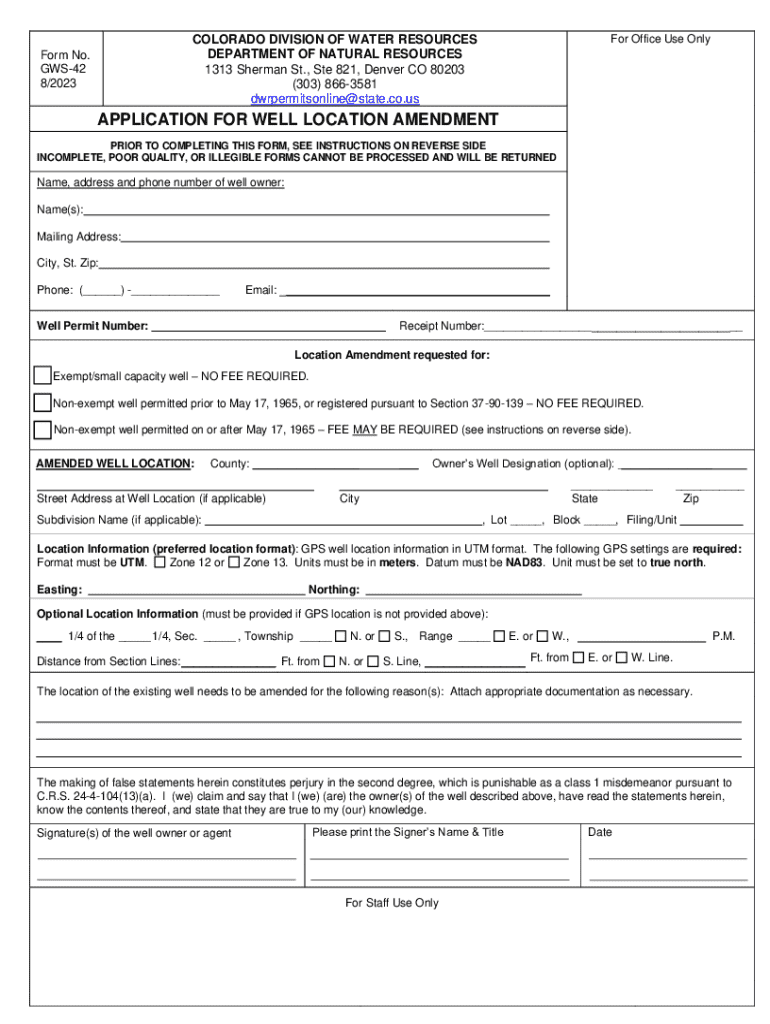
LICATION FOR WELL LOCATION AMENDMENT PRIOR TO COMPLETING THIS FORM, SEE INSTRUCTIONS ON REVERSE SIDE INCOMPLETE, POOR QUALITY, OR ILLEGIBLE FORMS CANNOT BE PROCESSED AND WILL BE RETURNED Name, address and phone number of well owner: Name(s): Mailing Address: City, St. Zip: Phone: ( ) - Email: Well Permit Number: Receipt Number: Location Amendment requested for: Exempt/small c.
Loading

Open form follow the instructions

Easily sign the form with your finger

Send filled & signed form or save
How to fill out the CO GWS-42 online
The CO GWS-42 form is essential for individuals seeking to amend the location of a well in Colorado. This guide provides clear instructions on how to complete the form effectively, ensuring a smooth online submission process.
Follow the steps to fill out the CO GWS-42 accurately and efficiently.
- Press the ‘Get Form’ button to obtain the online form and access it in your preferred document editor.
- Enter the owner’s name, mailing address, phone number, and email in the designated fields.
- Input the well permit number in the provided space. If you need assistance, you can contact the relevant records section.
- Fill in the correct well location information. Use GPS coordinates in UTM format if possible. Make sure to indicate the correct UTM zone (Zone 12 or Zone 13) and the supporting details such as easting and northing.
- In the section for optional location information, provide the 1/4 of the 1/4, section, township, range, and distance from section lines as needed.
- Clearly indicate the reasons for requesting the location amendment and attach any necessary documentation.
- The applicant, or their authorized agent, must sign the form and print their name and title where indicated.
- Review the form for completeness. Ensure all fields are filled out clearly using dark ink if printed.
- Once completed, save the form as a PDF and send it via email to the specified address for submission.
- If applicable, be aware that a filing fee may be required for processing your amendment request.
Complete your CO GWS-42 application online today!
Experience a faster way to fill out and sign forms on the web. Access the most extensive library of templates available.
Related content
GWS-42 Application For Well Location Amendment, Apply to amend the location of a well...
... GWS 100 and two GWS electives. 3 CRS.3 HRS. SOC 210. Gender and Society. This course...
Jun 16, 2015 — This document describes the Performance Monitoring parameters and alarms...
Use professional pre-built templates to fill in and sign documents online faster. Get access to thousands of forms.
If you believe that this page should be taken down, please follow our DMCA take down process here.