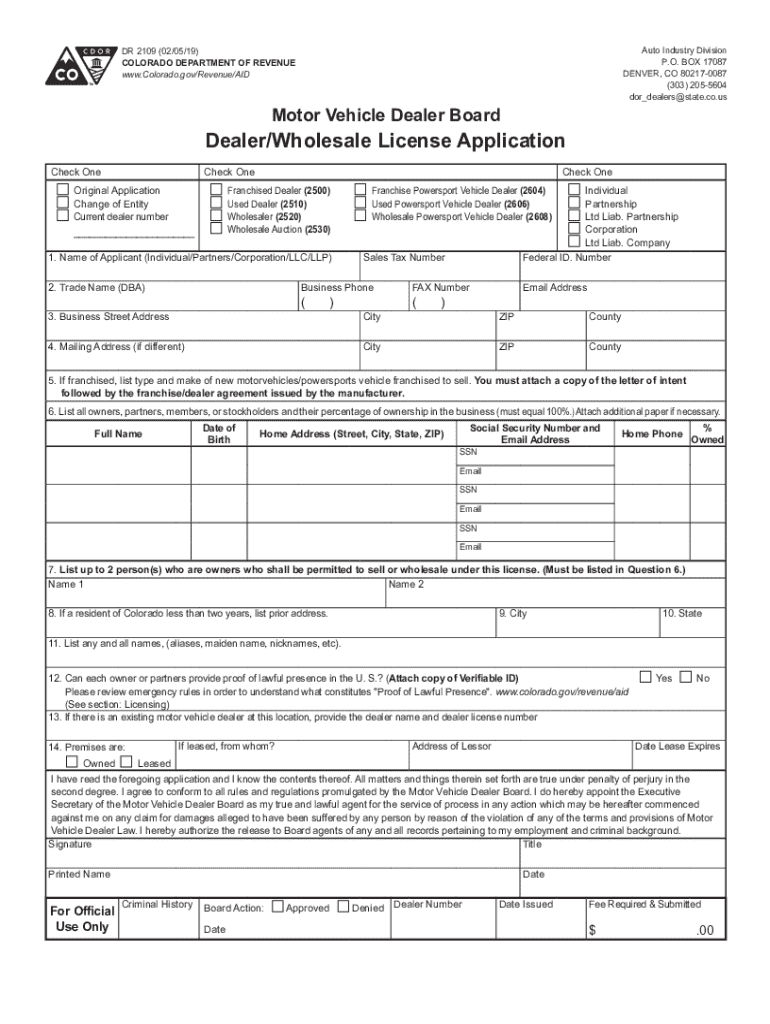
Auto Industry Division P.O. BOX 17087 DENVER, CO 802170087 (303) 2055604 dor dealers state.co.usDR 2109 (02/05/19) COLORADO DEPARTMENT OF REVENUE www.Colorado.gov/Revenue/AIDMotor Vehicle Dealer BoardDealer/Wholesale.

Open form follow the instructions

Easily sign the form with your finger

Send filled & signed form or save
How to fill out the CO DR 2109 online
The CO DR 2109 form is utilized for applying for a dealer or wholesale license in Colorado. This guide will provide step-by-step instructions to ensure that you complete the form accurately and efficiently.
Follow the steps to fill out the CO DR 2109 form online
- Click ‘Get Form’ button to obtain the form and open it in the editor.
- Begin filling out Section 1 by entering the name of the applicant, selecting the type of entity (individual, partnership, corporation, etc.), and noting the trade name if applicable.
- In Section 2, provide your sales tax number along with the business phone number and the business street address.
- Fill in the mailing address in Section 3 if it differs from the business street address. Ensure to include the city, ZIP code, and county.
- If applicable, use Section 4 to list the type and make of vehicles you are franchised to sell, attaching a copy of the letter of intent and the franchise agreement.
- In Section 5, list all owners or partners along with their percentage of ownership, ensuring the total equals 100%. Include additional paper as necessary.
- Designate up to two individuals permitted to sell under this license in Section 6, ensuring they are listed as owners in Section 5.
- Section 7 requires you to provide your previous address if you have lived in Colorado for less than two years.
- In Section 8, list any aliases, maiden names, or nicknames as required.
- Confirm whether all owners can provide proof of lawful presence in the U.S. in Section 9, and attach a copy of valid identification.
- Indicate if there is an existing motor vehicle dealer at your location in Section 10 and provide their dealer name and license number.
- Specify whether the premises are owned or leased in Section 11, and if leased, provide the name and address of the lessor.
- Finally, read the declaration statement, sign, and date your application at the bottom of the form.
- After completing the form, you may save your changes, download, print, or share it as necessary.
Complete your documents online for efficient processing.
Experience a faster way to fill out and sign forms on the web. Access the most extensive library of templates available.
Related content
DR 2109 (06/01/21). COLORADO DEPARTMENT OF REVENUE. SBG.Colorado.gov/AID. Auto Industry...
Amounts owed the University by students who have received a student loan awarded by...
Dec 31, 2019 — % Reduced GE Capital leverage: $7B debt reduction, ending 2019 with 3.9x...
Use professional pre-built templates to fill in and sign documents online faster. Get access to thousands of forms.
If you believe that this page should be taken down, please follow our DMCA take down process here.