Loading
Get Fax +49(0)911
How it works
-

Open form follow the instructions
-

Easily sign the form with your finger
-

Send filled & signed form or save
How to fill out the Fax +49(0)911 online
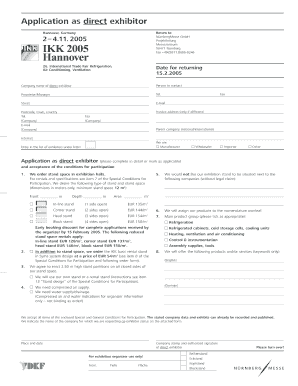
Filling out the Fax +49(0)911 form is an essential step for those looking to participate as direct exhibitors in the 26th International Trade Fair for Refrigeration, Air Conditioning, and Ventilation. This guide will provide you with clear, step-by-step instructions to help you complete the form accurately and effectively.
Follow the steps to fill out the form correctly.
- Click ‘Get Form’ button to access the form and open it for editing.
- Begin by entering your company name in the designated field. Ensure that you type the full name of your organization as it is legally registered.
- Next, provide the name of the person to contact in your company. This should be someone who can address inquiries regarding your application.
- Fill in the title of the contact person, such as Proprietor or Manager, to clarify their role within the company.
- Add the telephone number for contact purposes. Make sure this number is active and can be reached during the application review process.
- Input the full street address of your company. This should include any relevant suite or unit numbers.
- Enter the email address that you would like the organizers to contact. Ensure it is valid and regularly checked.
- Include the fax number if it is different from the phone number. This will facilitate fast communication.
- If your invoice address differs from the main address, fill in the appropriate fields with the necessary information.
- Specify your company’s parent company, if applicable, by marking the relevant box and entering any additional details required.
- Check the appropriate categories to indicate whether you are a Manufacturer, Wholesaler, Importer, or Other, marking as applicable.
- Complete the section requesting stand space by indicating the dimensions in meters. Select the type of stand you prefer and calculate the required area.
- If you have specific companies you do not wish to be located next to, list them in the provided field.
- Indicate your preference for the nomenclature by listing the products or services you will be exhibiting, ensuring they align with the trade fair’s focus.
- Finally, sign the form by providing your name and the date, and make sure to stamp it with your company’s official seal.
- After filling out all required fields, review your form for accuracy and completeness. Save your changes, then download, print, or share the completed form as needed.
Complete your application online to secure your place at the event.
Industry-leading security and compliance
US Legal Forms protects your data by complying with industry-specific security standards.
-
In businnes since 199725+ years providing professional legal documents.
-
Accredited businessGuarantees that a business meets BBB accreditation standards in the US and Canada.
-
Secured by BraintreeValidated Level 1 PCI DSS compliant payment gateway that accepts most major credit and debit card brands from across the globe.