Loading
Get Blank Form - Opseu Pension Trust
How it works
-

Open form follow the instructions
-

Easily sign the form with your finger
-

Send filled & signed form or save
How to fill out the Blank Form - OPSEU Pension Trust online
This guide provides clear, step-by-step instructions for completing the Blank Form - OPSEU Pension Trust online. Follow these instructions carefully to ensure that your form is accurately filled out and submitted.
Follow the steps to complete the OPSEU Pension Trust form online.
- Press the ‘Get Form’ button to access the Blank Form - OPSEU Pension Trust and open it for editing.
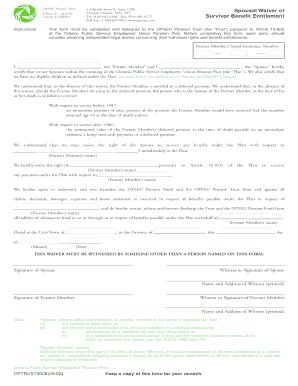
- In the first field, enter the Former Member's Social Insurance Number. This is essential for identifying the member's pension record.
- In the next section, both the Former Member and the Spouse must certify their status. Clearly print the names of both individuals where indicated, ensuring they are identified as the 'Former Member' and 'Spouse.'
- Acknowledge your understanding of the implications of the waiver by reading through the provided information. This includes recognizing the rights related to deferred pensions and survivor benefits.
- The Former Member should specify which rights they are waiving regarding their membership under the Plan. Fill in the designated fields with the necessary information accordingly.
- Complete the date section by entering the appropriate City/Town, Province, and the complete date (month, day, and year) when the form is being filled out.
- Signatures from both the Spouse and Former Member are required. Ensure that each individual has a witness for their signature. In the designated areas, the witness must print their name and address.
- After reviewing all fields for accuracy, users can save changes, download, print, or share the completed form as appropriate.
Complete your OPSEU Pension Trust form online today for timely and efficient processing.
Industry-leading security and compliance
US Legal Forms protects your data by complying with industry-specific security standards.
-
In businnes since 199725+ years providing professional legal documents.
-
Accredited businessGuarantees that a business meets BBB accreditation standards in the US and Canada.
-
Secured by BraintreeValidated Level 1 PCI DSS compliant payment gateway that accepts most major credit and debit card brands from across the globe.