Loading
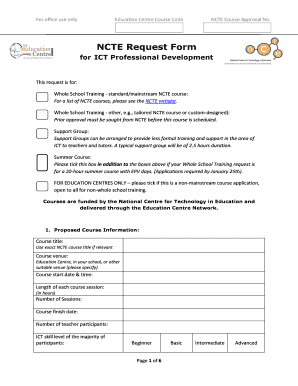
Get Whole School Training Request Form Jan 2012.pdf - Education ...
How it works
-

Open form follow the instructions
-

Easily sign the form with your finger
-

Send filled & signed form or save
How to fill out the Whole School Training Request Form Jan 2012.pdf - Education ... online
Filling out the Whole School Training Request Form is essential for your school to access valuable training resources. This guide provides clear and concise instructions to help users complete the form efficiently and accurately online.
Follow the steps to successfully submit your training request.
- Press the ‘Get Form’ button to acquire the training request form and open it in your document editor.
- Provide the proposed course information. Enter the exact course title as provided by the National Centre for Technology in Education (NCTE) and specify the course venue (e.g., education centre, school, or other venue). Include the course start date, duration for each session, total number of sessions, course finish date, participant count, and the ICT skill level of the majority of participants.
- Fill in the school and course organizer contact information. Include the school's name, roll number, contact person's name, email address, telephone number, school address, and fax number.
- Answer additional questions related to the school facilities. Confirm the availability and adequacy of computer and internet facilities to meet the training session requirements. Specify the type and version of computers, and clarify internet connection quality.
- Outline school commitments as agreed upon by the school’s course organizer. Ensure sufficient operational computer facilities are available, verify internet connectivity quality, and indicate any necessary filtering arrangements.
- Provide course tutor details. Confirm if a suitable tutor is available within the school and provide their name, email, telephone, mobile number, and qualifications. If not, indicate the requirement for an NCTE-trained tutor.
- Input course content agreement details. Discuss and document the course content and specific objectives for each session, along with the overall course objective.
- Include any additional comments that may be relevant to your request.
- The school principal must review and sign the commitment statement at the bottom of the form. Ensure they date the form and that all information is accurately completed prior to submission.
- Return the completed request form via email, fax, or post to the designated contact provided in the form.
Complete your training requests online to ensure your school maximizes its educational opportunities.
The SF-52 is the initiating document for FFR personnel actions--changes that affect the staff member and the contents of his/her Official Personnel Folder (OPF). The use of the SF-52 encompasses a large number of personnel actions, and its use is strongly recommended, but a local form may be used.
Industry-leading security and compliance
US Legal Forms protects your data by complying with industry-specific security standards.
-
In businnes since 199725+ years providing professional legal documents.
-
Accredited businessGuarantees that a business meets BBB accreditation standards in the US and Canada.
-
Secured by BraintreeValidated Level 1 PCI DSS compliant payment gateway that accepts most major credit and debit card brands from across the globe.