Loading
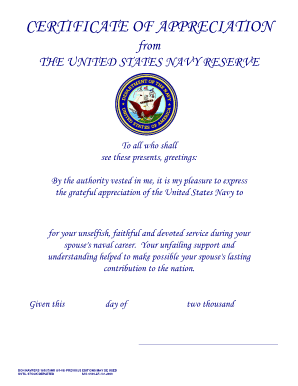
Get Navpers 1650/79nr 2006-2026
How it works
-

Open form follow the instructions
-

Easily sign the form with your finger
-

Send filled & signed form or save
How to fill out the NAVPERS 1650/79NR online
This guide provides a comprehensive overview of how to fill out the NAVPERS 1650/79NR form online. Designed for users with varying levels of experience, it offers clear and supporting instructions to ensure successful completion.
Follow the steps to complete the NAVPERS 1650/79NR form online.
- Press the 'Get Form' button to access the NAVPERS 1650/79NR form and open it in your preferred online editor.
- In the first section, ensure you provide the recipient's name. This should reflect the individual honored for their service. Enter the full name clearly.
- Next, you'll need to fill in the date of issuance. Write the current date in the format 'Day Month, Year' to specify when the certificate is being given.
- Proceed to the section detailing the sender's information. This should represent the authority granting the certificate. Ensure the name and title are accurate.
- Review all entered information to confirm accuracy and completeness, ensuring that there are no spelling or grammatical errors.
- Once completed, you can save your changes. Depending on your needs, choose to download, print, or share the form with the concerned individuals.
Complete your documents online today to ensure timely processing and recognition.