Loading
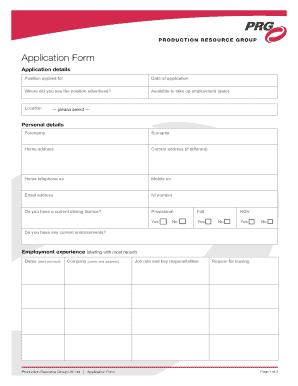
Get Application Form Application Details Position Applied For Date Of Application Where Did You See The
How it works
-

Open form follow the instructions
-

Easily sign the form with your finger
-

Send filled & signed form or save
How to fill out the Application Form Application Details Position Applied For Date Of Application Where Did You See The online
Completing the Application Form is an important step in your job application process. This guide provides clear, step-by-step instructions to help you fill out the form accurately and efficiently.
Follow the steps to successfully complete your application form.
- Click ‘Get Form’ button to obtain the form and open it in an editor.
- In the 'Application Details' section, enter the 'Position Applied For' clearly indicating the job role you are interested in.
- Next, in the 'Where Did You See The' section, specify the source where you found the job advertisement, such as a job website or referral.
- Complete the 'Available to take up employment' section by indicating the date you can start work.
- Fill in the 'Location' field, selecting your preferred location from the provided options.
- Proceed to the 'Personal Details' section. Enter your forename, surname, home address, and current address, if it differs.
- Indicate whether you have a current driving license and the type (provisional or full), along with any HGV qualifications.
- In the 'Employment Experience' section, start with your most recent job. Enter the dates of employment, company name and address, job role, key responsibilities, and reason for leaving.
- Next, in the 'Education & Qualifications' section, list your most recent education first, including the school or college attended, course taken, subjects studied, and results obtained.
- Answer the 'Other Information' questions about your eligibility for employment, work permit requirements, criminal convictions, and disability status.
- Fill out the 'References' section with details of your references, ensuring they are not family members. Provide their names, company, address, job title, telephone number, and email.
- Review the 'Declaration' section. Be sure to read it carefully before signing and dating it.
- Once you have completed the form, save your changes, and you may choose to download, print, or share the form as needed.
Complete your application form online today to take the next step in your career.
What is a job status? A job status tells you where the job is in the hiring process—whether a hiring agency is accepting applications, reviewing applications, has completed the hiring process, or canceled the job. Accepting applications. This job announcement is open and accepting applications. You can apply now.
Industry-leading security and compliance
US Legal Forms protects your data by complying with industry-specific security standards.
-
In businnes since 199725+ years providing professional legal documents.
-
Accredited businessGuarantees that a business meets BBB accreditation standards in the US and Canada.
-
Secured by BraintreeValidated Level 1 PCI DSS compliant payment gateway that accepts most major credit and debit card brands from across the globe.