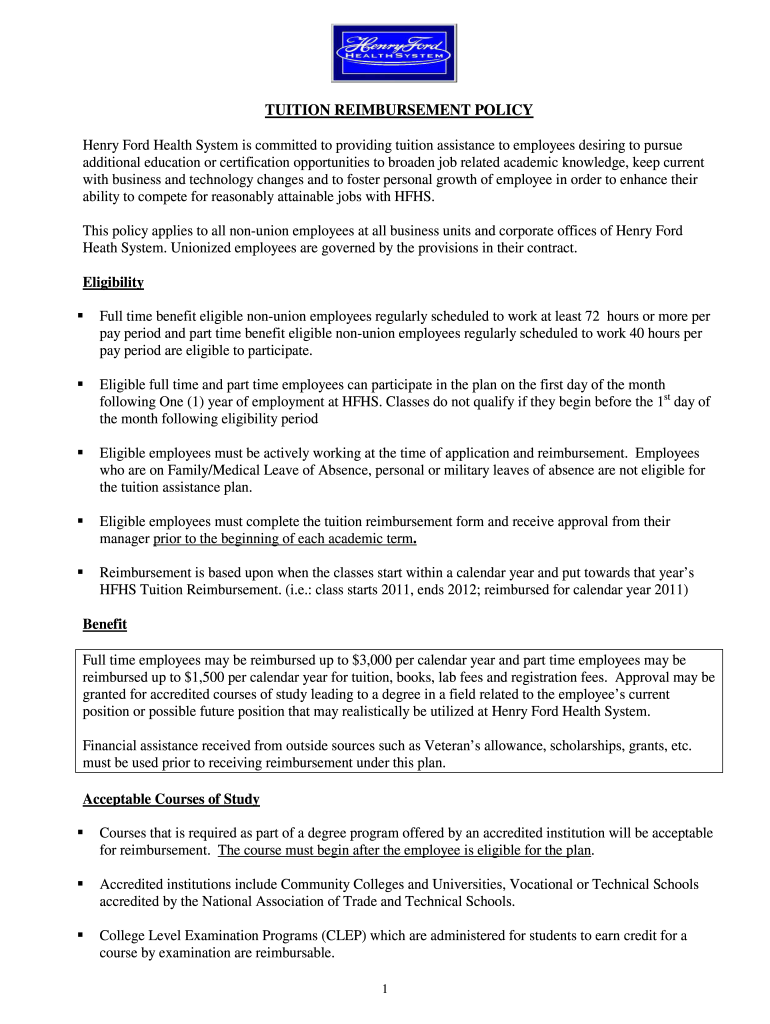
TUITION REIMBURSEMENT POLICY Henry Ford Health System is committed to providing tuition assistance to employees desiring to pursue additional education or certification opportunities to broaden job.
Loading

Open form follow the instructions

Easily sign the form with your finger

Send filled & signed form or save
How to fill out the Henry Ford Connect Tuition Reimbursement Form online
Completing the Henry Ford Connect Tuition Reimbursement Form is essential for employees seeking financial assistance for further education. This guide provides clear, step-by-step instructions for filling out the form accurately and efficiently to ensure a smooth reimbursement process.
Follow the steps to complete your tuition reimbursement form online.
- Click ‘Get Form’ button to obtain the form and open it in the online editor.
- Fill in your personal data. Include your last name, first name, employee ID, department, and contact phone number accurately to avoid any processing delays.
- In the 'Course Data' section, select the appropriate course type by checking the relevant box for undergraduate, graduate, or certificate programs.
- Provide the name of the institution you plan to attend and specify your field of study to ensure alignment with the reimbursement policy.
- Enter all expenses submitted for reimbursement. Input the costs for tuition, eligible fees, and books, including itemized receipts where required.
- Fill in course information, making sure this matches your itemized receipt. Include course names, numbers, whether they are electives or required, start and end dates, and credit hours.
- Sign and date the form in the 'Approval/Signatures' section. Ensure your manager also signs and dates the form to confirm approval before submission.
- Submit the completed Tuition Reimbursement Form along with the required documentation, such as grades and itemized receipts, to Employee Services within 45 days of course completion.
- Options for submission include interoffice mail, scanning and emailing, or sending via U.S. mail. Choose the most convenient method to ensure timely processing.
Complete your Henry Ford Connect Tuition Reimbursement Form online today for your educational benefits.
Experience a faster way to fill out and sign forms on the web. Access the most extensive library of templates available.
Related content
Applicants are invited to apply for funds to 1) create or expand EXPLORE courses for...
Oct 22, 2024 — Actual benefits will be paid in accordance with the carrier contracts and...
Feb 5, 2020 — Indicate by check mark whether the registrant has submitted electronically...
Get answers to your most pressing questions about US Legal Forms API.
Do most companies offer tuition reimbursement?
Many companies offer some form of tuition reimbursement as a part of their employee benefits package. This trend reflects a growing recognition of the importance of continued education in the workforce. If you're exploring this option, consider using services like uslegalforms, which can help you prepare necessary documents, such as the Henry Ford Connect Tuition Reimbursement Form, easily.
Does Henry Ford do tuition reimbursement?
Yes, Henry Ford actively supports employee education through its tuition reimbursement program. This initiative aims to enhance professional skills and support career advancement. By filling out the Henry Ford Connect Tuition Reimbursement Form, employees can apply for funds to cover their educational expenses.
What are the perks of working at Henry Ford Health?
Working at Henry Ford Health comes with various perks, including competitive salaries, comprehensive health benefits, and opportunities for professional development. Employees also enjoy a supportive work environment that emphasizes work-life balance. Additionally, the tuition reimbursement program, accessible via the Henry Ford Connect Tuition Reimbursement Form, allows employees to pursue further education without financial strain.
Does Henry Ford have tuition reimbursement?
Yes, Henry Ford provides a tuition reimbursement program aimed at fostering employee growth through education. This program is crucial for those looking to enhance their skills and further their careers within the organization. To apply for reimbursement, you will need to submit the Henry Ford Connect Tuition Reimbursement Form along with your proof of enrollment and completion.
How do I get my tuition reimbursement?
To receive your tuition reimbursement, you must first enroll in an approved educational program and attend classes. After successfully completing your courses, submit your receipts and the completed Henry Ford Connect Tuition Reimbursement Form. Be sure to keep copies of your documents for your records during the reimbursement process.
What color scrubs do nurses wear at Henry Ford?
At Henry Ford, nurses typically wear navy blue scrubs as part of their professional attire. This color not only provides a polished appearance but also promotes a calming environment for patients. The selection of scrub colors may vary with different departments, so always check with your supervisor if you are unsure.
Does Ford offer tuition reimbursement?
Yes, Ford offers a tuition reimbursement program designed to support employees in their educational pursuits. This program allows you to request funds for qualifying courses and degrees. To get started, you will need to fill out the Henry Ford Connect Tuition Reimbursement Form, which outlines your educational expenses and program details.
What is the IRS rule for tuition reimbursement?
The IRS allows companies to remit up to $5,250 in tuition reimbursement per employee each year without tax implications. Any amount over this threshold must be reported as income. It's important to consult financial professionals to navigate the IRS rules effectively, ensuring your program aligns with standards while making use of the Henry Ford Connect Tuition Reimbursement Form to facilitate claims.
How do I set up a tuition reimbursement program?
To set up a tuition reimbursement program, start by determining the specifics of the program, including eligibility, funding limits, and application procedures. Develop a reimbursement policy and distribute it to all employees. Utilizing resources like uslegalforms can provide you with useful forms, including the Henry Ford Connect Tuition Reimbursement Form, to make the setup easier.
How to start a tuition reimbursement program?
Starting a tuition reimbursement program involves several key steps, such as defining eligibility criteria and reimbursement amounts. It is essential to create a clear policy outlining costs covered and any required forms, like the Henry Ford Connect Tuition Reimbursement Form. Consider consulting with HR professionals or platforms like uslegalforms for comprehensive templates and guidance.
Use professional pre-built templates to fill in and sign documents online faster. Get access to thousands of forms.
If you believe that this page should be taken down, please follow our DMCA take down process here.