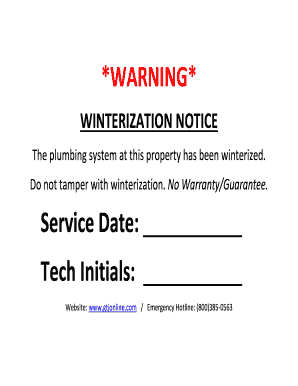
Get Gtj Winterization Notice
How it works
-

Open form follow the instructions
-

Easily sign the form with your finger
-

Send filled & signed form or save
How to fill out the GTJ Winterization Notice online
The GTJ Winterization Notice is an essential document that outlines the status of the plumbing system at a property. Completing this notice accurately is crucial in ensuring that all involved parties are informed about the winterization process.
Follow the steps to fill out the GTJ Winterization Notice online.
- Click 'Get Form' button to obtain the form and open it in the editor.
- Locate the 'Service Date' field. Enter the date on which the winterization services were performed. Ensure the format is correct for consistency.
- Find the 'Tech Initials' section. Here, the technician who completed the winterization should provide their initials to authenticate the service performed.
- Review the entire form for any inaccuracies or missing information. Take a moment to double-check that all entries are correct.
- Once satisfied with the inputs, save any changes made to the document. Users can either download the form, print it, or share it as needed.
Complete your GTJ Winterization Notice online today.
The three types of winterization encompass full winterization, partial winterization, and emergency winterization. Full winterization involves thorough preparations for prolonged absence in cold weather. Partial winterization focuses on specific areas, such as reducing exposure for a part-time use. Emergency winterization is a rapid response to unexpected cold weather. Referencing the GTJ Winterization Notice can offer detailed insights into when and how to implement each type effectively.