Loading
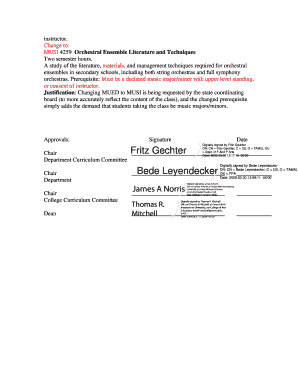
Get College Document Coas 094 Ucc Document # Document Type Catalog Year 20082009 (please Use Separate
How it works
-

Open form follow the instructions
-

Easily sign the form with your finger
-

Send filled & signed form or save
How to fill out the College Document COAS 094 UCC Document # Document Type CATALOG YEAR 20082009 (Please Use Separate online
This guide provides clear instructions on how to complete the College Document COAS 094 UCC Document for the academic catalog year 2008-2009. By following the steps outlined in this document, users can ensure that all necessary information is accurately submitted.
Follow the steps to fill out the College Document COAS 094
- Click ‘Get Form’ button to obtain the form and open it in the editor.
- Fill in the required fields beginning with the UCC Document Number, ensuring to leave no section blank.
- Select the Document Type from the options provided in the form. This helps categorize your submission correctly.
- Enter the Catalog Year as 2008-2009. Make sure this aligns with your intended changes.
- In the COLLEGE/SCHOOL/SECTION area, provide the name of the college, school, or section relevant to the application.
- Indicate the Current Catalog Page(s) Affected by your request. This information helps track the specific sections being changed.
- For the Course section, specify the Course Title, Number, Description, Credit Hours (SCH), and any Prerequisites required for enrollment.
- If you are proposing a change to a Program, indicate whether you are adding or altering the Program of Study. Attach updated descriptions when applicable.
- Similarly, handle any changes needed for Minor and Faculty sections as indicated in the form. Attach necessary documents.
- In the Other section, provide any additional information or changes and attach related documents as needed.
- Lastly, review all entries for accuracy. When complete, you can save changes, download, print, or share the finalized form.
Complete your document submissions online today for a smooth process!
Industry-leading security and compliance
US Legal Forms protects your data by complying with industry-specific security standards.
-
In businnes since 199725+ years providing professional legal documents.
-
Accredited businessGuarantees that a business meets BBB accreditation standards in the US and Canada.
-
Secured by BraintreeValidated Level 1 PCI DSS compliant payment gateway that accepts most major credit and debit card brands from across the globe.