Loading
Get College Document - Texas A&m International University
How it works
-

Open form follow the instructions
-

Easily sign the form with your finger
-

Send filled & signed form or save
How to fill out the College Document - Texas A&M International University online
This guide provides a comprehensive overview of how to fill out the College Document for Texas A&M International University. By following these steps, users will be able to complete the form accurately and efficiently, ensuring a smooth submission process.
Follow the steps to effectively fill out the College Document.
- Press the ‘Get Form’ button to download the College Document. This will open the form in your chosen editing tool.
- Enter the document number in the designated 'College Document #' field. Ensure that this information is correct, as it is essential for tracking purposes.
- Fill in the 'Date Received' field with the current date. This indicates when the document is submitted for processing.
- For the 'Catalog Year,' specify the relevant academic year. This helps place the document within the appropriate academic context.
- Select the 'College/School' related to the document by checking the corresponding box.
- In the 'Current Catalog Page(s) Affected' section, list any catalog pages that will be impacted by this document’s changes.
- Clearly indicate whether you are adding, deleting, or changing a course. Provide the course number, title, and credit hours in the appropriate fields.
- In the 'Course Description' section, summarize the course's content and its relevance. Ensure all prerequisites and details about course repetition are included.
- Describe the justification for the course changes. This is an important section that explains the need for the revisions you are proposing.
- Outline the learning objectives for the course. These should be specific and measurable outcomes you expect students to achieve.
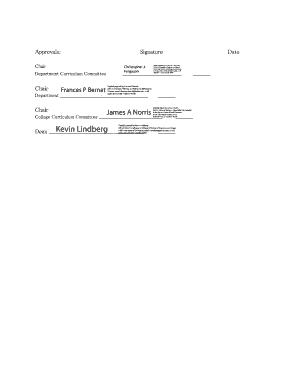
- Secure the necessary approvals from the department chair and curriculum committee by providing a signature in the designated areas.
- After completing all fields, you can save changes on the form, download a copy for your records, print it if needed, or share it for further review.
Start filling out the College Document online today to ensure a timely and smooth submission process.
Texas A&M's flagship campus is located in College Station, Texas. Home to a community of about 212,000 residents, the twin cities of Bryan and College Station are centrally located — only a short drive from Austin, Dallas and Houston. Texas A&M also has two branch campuses in Galveston, Texas, and Doha, Qatar.
Industry-leading security and compliance
US Legal Forms protects your data by complying with industry-specific security standards.
-
In businnes since 199725+ years providing professional legal documents.
-
Accredited businessGuarantees that a business meets BBB accreditation standards in the US and Canada.
-
Secured by BraintreeValidated Level 1 PCI DSS compliant payment gateway that accepts most major credit and debit card brands from across the globe.