Loading
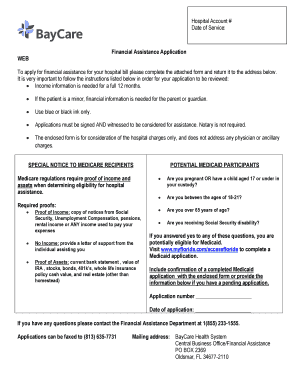
Get Baycare Pfsfa4001 2014
How it works
-

Open form follow the instructions
-

Easily sign the form with your finger
-

Send filled & signed form or save
How to fill out the BayCare PFSFA4001 online
Filling out the BayCare PFSFA4001 form is a crucial step in applying for financial assistance with your hospital bill. This guide provides clear, step-by-step instructions to help you navigate the process easily and confidently.
Follow the steps to complete your application smoothly.
- Click ‘Get Form’ button to obtain the form and open it in the document editor.
- Begin by entering the hospital account number and the date of service in the designated fields. This information is crucial for processing your application.
- In the patient name section, provide the full name of the individual receiving care, along with their date of birth and Social Security number. Make sure this information is accurate.
- Indicate if the patient is pregnant or disabled by checking the appropriate boxes. This information may impact your eligibility for assistance.
- Select the marital status by choosing from the options: married, single, divorced, or widowed. This will help define your household situation.
- In the address fields, enter both your residential and mailing addresses. If they are the same, you can duplicate the information.
- List household members along with their dates of birth, citizenship status, and Social Security numbers. This section establishes your total household size.
- Provide details for all income sources for each household member. List the type of income, the member’s name, and their monthly and yearly gross income, including any other relevant supports.
- Indicate if you have applied for any assistance programs such as Medicaid or Social Security Disability, circling all that apply. This information helps assess your eligibility further.
- Finally, confirm whether you have health insurance that covers any part of your hospital costs. This can affect your financial assistance evaluation.
- Before submitting, ensure that the application is signed by both the patient or guarantor and a witness. Remember, a notary is not required.
- Once you have reviewed the information for accuracy, save your changes, download, print, or share the completed form as necessary.
Complete your BayCare PFSFA4001 form online today to begin your application for financial assistance.
Get form
Experience a faster way to fill out and sign forms on the web. Access the most extensive library of templates available.
Get This Form Now!
Use professional pre-built templates to fill in and sign documents online faster. Get access to thousands of forms.