Loading
Get Es Movistar Sp13000030 2008-2026
How it works
-

Open form follow the instructions
-

Easily sign the form with your finger
-

Send filled & signed form or save
How to fill out the ES Movistar SP13000030 online
Filling out the ES Movistar SP13000030 form online is a straightforward process that allows you to request mobile telephony services efficiently. This guide provides step-by-step instructions to help you complete each section of the form accurately and confidently.
Follow the steps to successfully complete the form
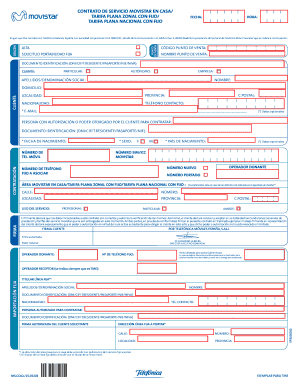
- Click the ‘Get Form’ button to obtain the form and open it in the editor. This will allow you to access the online version of the document.
- Begin by filling out the first section regarding the service request date and sales point location. Enter the 'Hora' and 'Fecha' in their respective fields, and specify the 'Punto de Venta' details.
- Provide your identification details in the 'Documento Identificación' field. Choose from DNI, CIF, T. Residente, Pasaporte, NIE, or NIVA, as applicable. Indicate if you are an autónomo, particular, client, or company.
- Fill in the fields for your personal information, which includes 'Apellidos/Denominación Social' for last names, 'Nombre' for first name, and contact details such as 'Teléfono Contacto' and optionally your 'E-mail'.
- If applicable, specify details for a person with authorization to contract on your behalf. This includes filling in their identification details and date of birth.
- In the 'Contratación' section, provide the mobile number and select your preferred 'Sexo' option. Enter the new mobile number, associated fixed phone number, and the number to be ported.
- Indicate the address for the service area by filling in 'Calle', 'Número', 'Localidad', and 'Provincia'. Make sure that the address matches the associated fixed number.
- Confirm your understanding of the conditions by verifying all provided information is accurate. After reviewing the form, proceed to sign where required.
- Once all sections are complete, you can save your changes, download, print, or share the form as needed.
Complete your ES Movistar SP13000030 form online today for a seamless service registration experience.
Finding your Movistar number is simple. You can check it in your device settings or dial a specific code provided by Movistar. This is especially useful when updating your contact information for services linked to your ES Movistar SP13000030 plan.