Loading
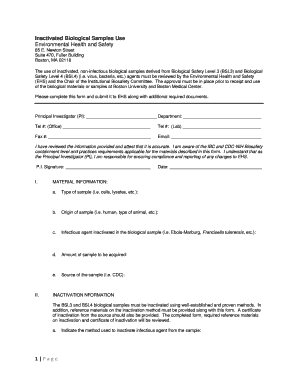
Get Deactivated Biological Samples Use - Boston University
How it works
-

Open form follow the instructions
-

Easily sign the form with your finger
-

Send filled & signed form or save
How to fill out the Deactivated Biological Samples Use - Boston University online
This guide provides a clear and supportive walkthrough for users to successfully fill out the Deactivated Biological Samples Use form for Boston University. Understanding each section and field will help ensure compliance and facilitate the review process.
Follow the steps to accurately complete the form.
- Click ‘Get Form’ button to access the form and open it in your preferred editor.
- Complete the Principal Investigator (PI) section by filling in your name, department, office and lab telephone numbers, fax number, and email address.
- Confirm the accuracy of the information provided by signing the Principal Investigator's signature field and dating it.
- In the MATERIAL INFORMATION section, indicate the type of sample, origin of the sample, the specific infectious agent that has been inactivated, the amount of sample to be acquired, and the source of the sample.
- Complete the INACTIVATION INFORMATION section by identifying the method used to inactivate the infectious agent from the sample. Include additional references to support the chosen method, and make sure to attach a certification letter from the source of the sample.
- Fill in the LABORATORY FACILITY section by checking the type of facility where you will handle and store the biological sample. If you select 'Other,' provide an explanation.
- The REVIEW AND ASSESSMENT section is to be completed by the Environmental Health and Safety (EHS) and Institutional Biosafety Committee (IBC) reviewers, so you can leave this part blank.
- Once all sections are completed and reviewed, you will have the option to save changes, download, print, or share the form as needed.
Complete your documents online to ensure efficient and compliant processing.
Industry-leading security and compliance
US Legal Forms protects your data by complying with industry-specific security standards.
-
In businnes since 199725+ years providing professional legal documents.
-
Accredited businessGuarantees that a business meets BBB accreditation standards in the US and Canada.
-
Secured by BraintreeValidated Level 1 PCI DSS compliant payment gateway that accepts most major credit and debit card brands from across the globe.