Loading
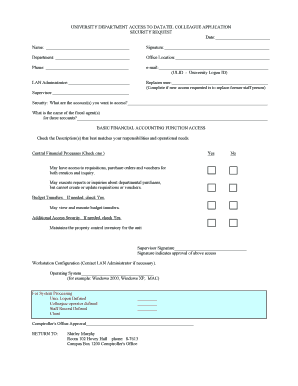
Get University Department Access To Datatel Colleague Application
How it works
-

Open form follow the instructions
-

Easily sign the form with your finger
-

Send filled & signed form or save
How to fill out the UNIVERSITY DEPARTMENT ACCESS TO DATATEL COLLEAGUE APPLICATION online
Completing the university department access to Datatel Colleague application is essential for users seeking access to financial systems. This guide provides clear and detailed steps to assist you in filling out the form correctly and efficiently.
Follow the steps to accurately complete the application form.
- Press the ‘Get Form’ button to access the form and open it in your document editor.
- Fill in the date field to indicate when the application is being submitted.
- Enter your full name in the designated space to identify the applicant clearly.
- Provide your department name where indicated to specify your work area.
- Complete the office location section to help others find your workspace.
- Input your phone number, ensuring it is a valid contact method.
- Enter your email address along with your University Logon ID (ULID) in the specified field.
- List the name of your LAN Administrator to expedite the account setup process.
- If you are replacing an existing user, complete the ‘Replaces user’ field with the name of the former staff member.
- Provide your supervisor's name to ensure they can approve your access.
- Detail the specific account(s) you seek access to, providing clear descriptions.
- List the fiscal agent(s) responsible for these accounts, as this is necessary for approval.
- In the financial accounting function access section, check the box that matches your responsibilities—make sure to select according to your operational needs.
- If applicable, check the box for budget transfers to indicate if you require this additional functionality.
- Review the additional access security section and mark it if necessary.
- Obtain your supervisor's signature to validate their approval for your requested access.
- Fill in the workstation configuration section as needed, and contact your LAN Administrator for further assistance if required.
- If applicable, provide details about the operating system for your workstation.
- Once completed, prioritize reviewing all entered information for accuracy before proceeding to save.
- Finally, save changes, download, print, or share the filled form as necessary for submission.
Complete the form online to ensure your access to essential systems is granted promptly.
Datatel Colleague, an administrative software suite based on a single-source technology approach, coupled with data-driven, rules-based architecture.
Industry-leading security and compliance
US Legal Forms protects your data by complying with industry-specific security standards.
-
In businnes since 199725+ years providing professional legal documents.
-
Accredited businessGuarantees that a business meets BBB accreditation standards in the US and Canada.
-
Secured by BraintreeValidated Level 1 PCI DSS compliant payment gateway that accepts most major credit and debit card brands from across the globe.