Loading
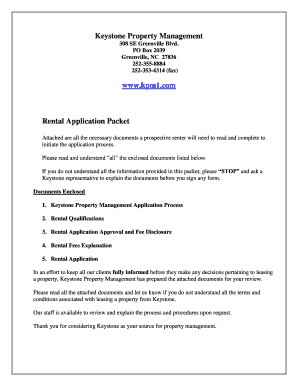
Get Keystone Property Management Rental Application Packet 2015-2026
How it works
-

Open form follow the instructions
-

Easily sign the form with your finger
-

Send filled & signed form or save
How to fill out the Keystone Property Management Rental Application Packet online
Filling out the Keystone Property Management Rental Application Packet online is a straightforward process that ensures prospective renters can provide all necessary information conveniently. This guide will walk you through each step to ensure your application is completed accurately.
Follow the steps to successfully complete your rental application packet online.
- Click ‘Get Form’ button to obtain the form and open it in the editor.
- Review the enclosed documents listed in the packet carefully to understand the application process and requirements. Ensure you understand each document before proceeding.
- Complete the Applicant Information section. Provide your full name, social security number, date of birth, driver’s license number, and current address.
- Fill in the Employment & Income section. Include your current employer’s name, address, phone number, and salary. If you have additional income sources, make sure to include them as well.
- Complete the Additional Occupants section by listing the names and ages of anyone who will be living with you.
- If applicable, fill in the Spousal Information section. Provide details for your partner or spouse, including their name, social security number, and employment information.
- Fill out the Vehicle Information section, including the make, model, year, color, and tag for each vehicle you own.
- Review all information entered for accuracy and completeness before moving to the final section.
- Sign and date the application. Your signature confirms that you understand the application is preliminary and does not guarantee approval.
Complete your Keystone Property Management Rental Application Packet online today!