Loading
Get May 3, 2010 - State Nj
How it works
-

Open form follow the instructions
-

Easily sign the form with your finger
-

Send filled & signed form or save
How to fill out the May 3, 2010 - State Nj online
Filling out the May 3, 2010 - State Nj form online can be straightforward and efficient. This guide provides clear instructions to help users navigate each section effectively, ensuring all necessary information is properly submitted.
Follow the steps to fill out the May 3, 2010 - State Nj form online.
- Click the ‘Get Form’ button to access the form and open it in your editor.
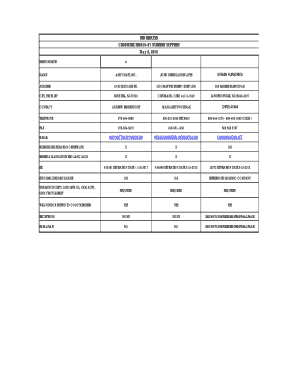
- Review the form layout carefully. The first section requires you to enter the name of the respondents. Fill in each field with the appropriate names, such as ‘Andy Matt, Inc.’ and others listed.
- In the next section, provide the address information for each respondent. This should include street address, city, state, and zip code. Ensure accuracy to prevent any issues with processing.
- Enter the contact details for each respondent, including the name and telephone number. If applicable, include fax numbers and email addresses to ensure easy communication.
- Complete the section regarding the business registration certificate. Indicate whether the required certificates are valid by checking the appropriate boxes provided in the form.
- Review the mandatory Equal Employment Opportunity (EEO) language section. Ensure that all respondents have complied with this requirement, marking their submissions correctly.
- Next, fill in the bid details. Include any pricing information required, ensuring to input data accurately for each item requested.
- Once you have filled out all sections, double-check for any missing information or errors. This is crucial to avoid fatal flaws that could disqualify the bid.
- Finally, save your completed form. You have the options to download, print, or share it as necessary.
Take the next step and complete your documents online for a smoother experience.
Industry-leading security and compliance
US Legal Forms protects your data by complying with industry-specific security standards.
-
In businnes since 199725+ years providing professional legal documents.
-
Accredited businessGuarantees that a business meets BBB accreditation standards in the US and Canada.
-
Secured by BraintreeValidated Level 1 PCI DSS compliant payment gateway that accepts most major credit and debit card brands from across the globe.