Loading
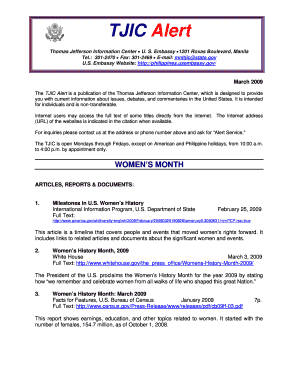
Get Tjic Alert Thomas Jefferson Information Center U - Photos State
How it works
-

Open form follow the instructions
-

Easily sign the form with your finger
-

Send filled & signed form or save
How to fill out the TJIC Alert Thomas Jefferson Information Center U - Photos State online
This guide provides clear and professional instructions on filling out the TJIC Alert form online, ensuring that all users can easily navigate the process. Whether you are familiar with digital forms or new to online submissions, this guide aims to support you step-by-step.
Follow the steps to complete your TJIC Alert request smoothly.
- Click ‘Get Form’ button to obtain the form and open it in a digital format.
- Begin by entering your printed name in the designated field. This should be the full name as you would like it to appear on official communications.
- Provide your complete address in the address field. Ensure that all elements of your address are accurately typed to avoid any delays in receiving correspondence.
- Sign the form in the signature area. This confirms your agreement to the terms set out in the form and validates your request.
- Fill in your telephone number in the provided field. Make sure to include the area code for accessibility.
- Enter the date of submission. This is important for tracking your request's processing time.
- If applicable, fill in the fax number where you can receive communications, to facilitate quicker responses.
- Provide your email address. This will be used for any electronic correspondence regarding your request.
- Review all your entries for accuracy before submitting. Mistakes can lead to delays in processing your request.
- Submit the completed form by mail, fax, or email to the Thomas Jefferson Information Center at the contact information provided on the form. Ensure you have the correct contact details to avoid issues.
- After submission, if you have not received the articles requested within a month, it is advisable to contact the TJIC for follow-up.
Complete your TJIC Alert request online today for timely access to valuable information!
If you receive a call from phone number 1-866-609-8026, this is JeffALERT. It is a good idea to have this number programmed into your cellular phone as 'JeffALERT' so future calls will be identified as emergency notifications.
Industry-leading security and compliance
US Legal Forms protects your data by complying with industry-specific security standards.
-
In businnes since 199725+ years providing professional legal documents.
-
Accredited businessGuarantees that a business meets BBB accreditation standards in the US and Canada.
-
Secured by BraintreeValidated Level 1 PCI DSS compliant payment gateway that accepts most major credit and debit card brands from across the globe.