Loading
Get Ca Nutrition Services Division Cacfp 39 2014-2026
How it works
-

Open form follow the instructions
-

Easily sign the form with your finger
-

Send filled & signed form or save
How to fill out the CA Nutrition Services Division CACFP 39 online
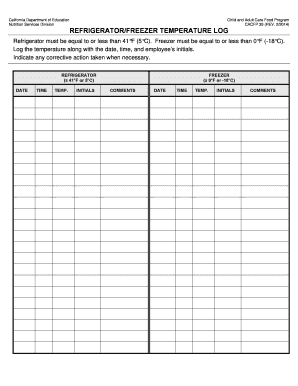
This guide will assist you in completing the CA Nutrition Services Division CACFP 39 form online. By following these steps, you will ensure proper documentation of refrigerator and freezer temperatures for the Child and Adult Care Food Program.
Follow the steps to effectively fill out the CACFP 39 form.
- Click ‘Get Form’ button to obtain the form and open it in the editor.
- Locate the 'Refrigerator' section of the form. In this area, enter the date, time, and temperature of the refrigerator. Make sure the temperature is equal to or less than 41°F (5°C). Insert your initials to confirm the reading.
- Next, fill in the 'Freezer' section. Record the date, time, and temperature of the freezer, ensuring it reads equal to or less than 0°F (-18°C). Please include your initials again next to the reading.
- If any corrective actions were taken, indicate these in the comments section for both the refrigerator and freezer. This is essential for maintaining accurate records.
- Review all entries for accuracy. Ensure that all required fields are completed before submitting the form. Check your initials and confirm that the temperatures meet the specified limits.
- Once all information is verified, save your changes. You can then choose to download, print, or share the completed form as necessary.
Complete your CA Nutrition Services Division CACFP 39 form online today to ensure compliance.
There are five components to the CACFP: Child Care, Adult Day Care, Emergency Shelter, At-risk Afterschool Meals, and Day Care Homes. Organizations may be able to participate in the CACFP under one of these components if they meet eligibility requirements.