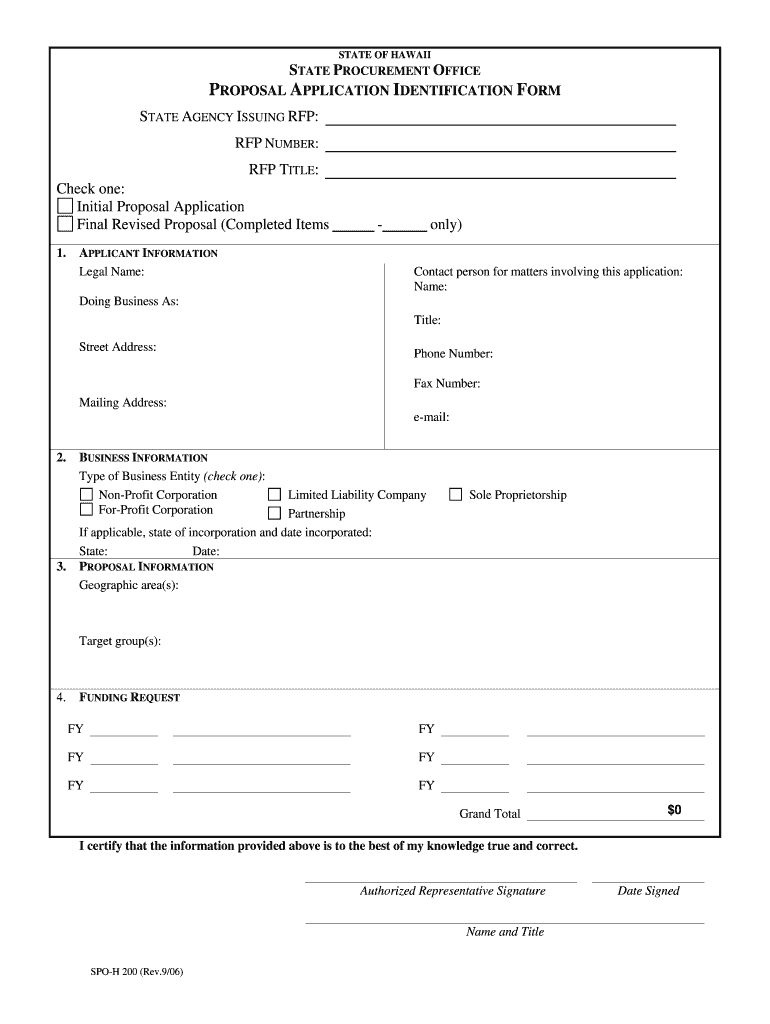
Ed Items 1. APPLICANT INFORMATION Legal Name: - only) Contact person for matters involving this application: Name: Doing Business As: Title: Street Address: Phone Number: Fax Number: Mailing Address: e-mail: 2. 3. BUSINESS INFORMATION Type of Business Entity (check one): Non-Profit Corporation For-Profit Corporation Limited Liability Company Partnership If applicable, state of incorporation and date incorporated: State: Date: PROPOSAL INFORMATION Geographic area(s): Sole Proprietorship.
Loading

Open form follow the instructions

Easily sign the form with your finger

Send filled & signed form or save
How to fill out the HI SPO-H 200 online
The HI SPO-H 200 form is essential for submitting proposal applications to the State Procurement Office in Hawaii. This guide provides a comprehensive step-by-step approach to ensure users accurately complete the form online.
Follow the steps to fill out the HI SPO-H 200 online seamlessly.
- Press the ‘Get Form’ button to access the HI SPO-H 200 form and open it in your preferred editor.
- Begin by filling out the applicant information section, which includes your legal name, contact person details, and address. Make sure to provide accurate and current information.
- Next, complete the business information section by selecting your type of business entity. This includes options such as non-profit corporation, for-profit corporation, limited liability company, partnership, or sole proprietorship. If applicable, indicate the state of incorporation and the date you were incorporated.
- In the proposal information section, specify the geographic areas and target groups relevant to your proposal.
- Enter your funding request in the designated fields for the fiscal years. Ensure that the total funding request is summed accurately.
- Finally, provide your authorized representative's signature along with their printed name, title, and date signed. Verify that all information is accurate before submission.
- Once completed, save your changes, download the finished form, or print it. You can also share the form as needed.
Start filling out the HI SPO-H 200 online today to streamline your proposal application process.
Experience a faster way to fill out and sign forms on the web. Access the most extensive library of templates available.
Related content
Only the section(s) of the proposal that are amended shall be submitted by the applicant...
(a) 70-200 Hz, for a vessel 200 meters or more in length;. (b) 130-350 Hz, for a vessel 75...
Utilizar HI. Prima I ou H para avançar ou recuar uma imagem de cada vez. Mantenha o...
Use professional pre-built templates to fill in and sign documents online faster. Get access to thousands of forms.
If you believe that this page should be taken down, please follow our DMCA take down process here.