Loading
Get Au Dhs Ms004 2024-2026
How it works
-

Open form follow the instructions
-

Easily sign the form with your finger
-

Send filled & signed form or save
How to fill out the AU DHS MS004 online
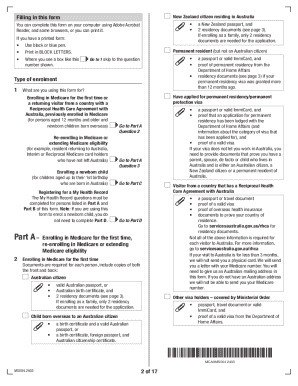
This guide provides step-by-step instructions for completing the AU DHS MS004 form for Medicare enrolment online. Whether you are enrolling for the first time or re-enrolling, this guide is designed to help you understand each section clearly.
Follow the steps to complete the Medicare enrolment form.
- Click ‘Get Form’ button to obtain the form and open it in the editor.
- Read the instructions on the form carefully. This will help you understand the purpose of the document and the necessary requirements for filling it out.
- Begin with Part A, and select the type of enrolment you are applying for: enrolling for the first time, re-enrolling, or enrolling a newborn child.
- Fill in your personal details, including your name, date of birth, and postal address. Make sure to provide accurate information.
- If applicable, include your partner's information and indicate whether they are listed on your Medicare card.
- In the Residency Documents section, provide the required documentation that proves your residence status.
- Complete the Bank Account Details section to facilitate Electronic Funds Transfer for any Medicare benefits.
- If enrolling additional people, continue to Part B and fill out their details. Ensure that each person aged 14 or older completes their declaration.
- Next, if enrolling a newborn child, move to Part C and provide the required documentation relating to their birth and your relationship to them.
- If applicable, fill out Part D for My Health Record preferences for you and any additional participants.
- Review all the provided information for accuracy and completeness before submission.
- Save your changes, and finally, submit the form online or print it to be sent by post.
Complete your Medicare enrolment form online today to ensure your access to health services.