Loading
Form preview
  • US Legal Forms
  • Other Templates
  • Labor Forms
  • Maryland Labor Forms
  • Md Quarterly Contribution & Employment Report 2007

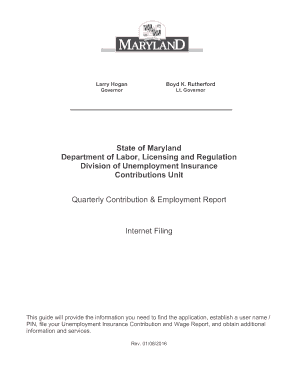
Get Md Quarterly Contribution & Employment Report 2007-2026

32 Warning Page for Not Entering Any Wages ................................................... 35 Add Employee................................................................................................... 36 Warning Page after Clicking Cancel on Add Employee Page....................... 37 Summary of Contribution Report .................................................................... 38 Contribution Report Confirmation page .

How it works

  1. Open form

    Open form follow the instructions

  2. Easily sign form

    Easily sign the form with your finger

  3. Share form

    Send filled & signed form or save

How to fill out the MD Quarterly Contribution & Employment Report online

This guide provides users with a clear and supportive approach to completing the Maryland Quarterly Contribution & Employment Report online. By following the outlined steps, users can efficiently file their reports and ensure compliance with state regulations.

Follow the steps to successfully complete your report online.

  1. Click ‘Get Form’ button to obtain the Quarterly Contribution & Employment Report and open it in the online editor.
  2. Register as a user if you have not done so already. You will need your Maryland Unemployment Insurance Fund account number and Federal Employer Identification Number to create your account.
  3. Log into the application using your account number and PIN. If you forgot your PIN, utilize the automated reset service available through the application.
  4. Select the quarter you wish to file for from the drop-down menu on the Quarterly Contribution & Employment Report Main Menu page.
  5. Choose one of three filing options: File both the Contribution and Employment Report, File only a Contribution Report, or File wages using the Web-Wage Application.
  6. If you select to file both reports, enter the required employee information including Social Security numbers, names, and wages. Make use of the 'Add Employee' button if necessary.
  7. Ensure your Monthly Employment numbers are accurately entered for each month of the reporting quarter. This may differ from the total employees reported for wages.
  8. Review the automatic calculation of excess wages, if applicable, and ensure the information aligns with your records.
  9. Click the 'Continue' button to proceed to the Summary of Contribution Report, where you will review the total taxes, penalties, and interest due.
  10. Select your preferred payment method from the available options: Credit Card, Direct Debit, or Paper Check. Follow the prompts to complete the payment process.
  11. After payment, print or save your Contribution Report and Employment Report for your records. If needed, repeat the process to file for another quarter.

Complete your Maryland Quarterly Contribution & Employment Report online today to ensure timely compliance and accurate reporting.

Get form

Experience a faster way to fill out and sign forms on the web. Access the most extensive library of templates available.
Get form

Related content

Unemployment Insurance Contributions
The Contributions Division is responsible for collecting quarterly unemployment insurance...
Learn more
Md. Code Regs. 09.32.01.11 - Contribution Reports
Contribution reports shall be filed by an employing unit that operates its business during...
Learn more
Medicare
This transmittal introduces Chapter 40, Hospital and Hospital Health Care Complex Cost...
Learn more

Related links form

VISION REPORT - New Mexico Honored Citizen Application Kyifta Consent To Tattoo Procedure

Questions & Answers

Get answers to your most pressing questions about US Legal Forms API.

Contact support

PEO reporting requirements vary by state, but many states, including Maryland, require PEOs to submit detailed employment reports. Each state has its regulations regarding the responsibility for filing and reporting employee data. Understanding these state-specific requirements is crucial for businesses using PEO services. Using resources like US Legal Forms can equip you with the necessary information to ensure compliance and streamline reporting.

Yes, employees of a PEO are considered employees for many legal and tax purposes. This means PEO employees can benefit from standard employee rights, such as workers' compensation and unemployment insurance. However, businesses must still accurately report these employees in the MD Quarterly Contribution & Employment Report. By ensuring proper reporting, you protect both your business and your employees.

Maryland SIT, or State Income Tax, refers to the income tax withheld from employees' wages in Maryland. This withholding is an essential component of the MD Quarterly Contribution & Employment Report, as it helps ensure that your employees' tax obligations are met. Proper management of SIT is crucial not only for compliance but also for maintaining employee trust. Working with platforms like US Legal Forms can guide you through the complexities of tax withholdings.

Maryland is indeed a PEO reporting state, meaning that PEOs must report employee wages and contributions on behalf of their clients. This process ensures compliance with state employment regulations. As a business owner, utilizing a PEO can help streamline your reporting process, including the submission of the MD Quarterly Contribution & Employment Report. This partnership allows you to maintain compliance while minimizing administrative burdens.

Yes, you can use a Professional Employer Organization (PEO) in Maryland. Engaging a PEO simplifies administrative tasks, such as payroll and compliance. While using a PEO, it’s still your responsibility to file the MD Quarterly Contribution & Employment Report accurately. By partnering with a PEO, you can effectively manage your employment-related obligations and focus more on growing your business.

You can file your MD Quarterly Contribution & Employment Report online through the Maryland Department of Labor's website. The online portal facilitates easy submission and timely processing of your report. Alternatively, you can choose to submit the report by mail, although electronic submission is often faster and helps you keep records easily. Ensure you meet the deadlines to avoid any fines.

As of the latest updates, Maryland does not currently provide an additional $600 in unemployment benefits. However, it's essential to stay informed about any changes in state policies regarding unemployment benefits. While the MD Quarterly Contribution & Employment Report is not directly related to this payment, it plays a vital role in determining an employee’s eligibility for benefits. Always check with the Maryland Department of Labor for the most current information.

The MD Quarterly Contribution & Employment Report is a crucial document that employers submit to report employee wages and contributions made to the unemployment insurance fund. This report ensures compliance with state requirements and helps you avoid penalties. By accurately reporting your quarterly data, you contribute to the sustainability of Maryland’s unemployment insurance system. Additionally, your report reflects your commitment to supporting the workforce in Maryland.

Maryland's unemployment benefits vary over time, influenced by state regulations and economic conditions. Currently, the maximum weekly benefit is set by the Maryland Department of Labor. To stay updated, refer to the MD Quarterly Contribution & Employment Report, which provides insights into overall employment rates and benefit amounts. This report offers valuable information for both employees and employers alike.

If you earn $1000 a week in Maryland, your unemployment benefits will depend on your full earnings history. Typically, Maryland provides about 50% of your weekly earnings as a benefit, subject to a maximum limit. The MD Quarterly Contribution & Employment Report helps determine these figures, allowing you to understand your potential benefits more clearly. It's essential to apply promptly to receive the most accurate benefits.

Get This Form Now!

Use professional pre-built templates to fill in and sign documents online faster. Get access to thousands of forms.
Get form
If you believe that this page should be taken down, please follow our DMCA take down processhere.
Get MD Quarterly Contribution & Employment Report
Get form
  • Adoption
  • Bankruptcy
  • Contractors
  • Divorce
  • Home Sales
  • Employment
  • Identity Theft
  • Incorporation
  • Landlord Tenant
  • Living Trust
  • Name Change
  • Personal Planning
  • Small Business
  • Wills & Estates
  • Packages A-Z
  • Affidavits
  • Bankruptcy
  • Bill of Sale
  • Corporate - LLC
  • Divorce
  • Employment
  • Identity Theft
  • Internet Technology
  • Landlord Tenant
  • Living Wills
  • Name Change
  • Power of Attorney
  • Real Estate
  • Small Estates
  • Wills
  • All Forms
  • Forms A-Z
  • Other Templates
  • Legal Hub
  • About Us
  • Help Portal
  • Legal Resources
  • Blog
  • Affiliates
  • Contact Us
  • Delete My Account
  • Site Map
  • Industries
  • Forms in Spanish
  • Localized Forms
  • State-specific Forms
  • Forms Kit
  • Real Estate Handbook
  • All Guides
  • Notarize
  • Incorporation services
  • For Consumers
  • For Small Business
  • For Attorneys
  • USLegal
  • FormsPass
  • pdfFiller
  • signNow
  • altaFlow
  • DocHub
  • Instapage
Form Packages
  • Adoption
  • Bankruptcy
  • Contractors
  • Divorce
  • Home Sales
  • Employment
  • Identity Theft
  • Incorporation
  • Landlord Tenant
  • Living Trust
  • Name Change
  • Personal Planning
  • Small Business
  • Wills & Estates
  • Packages A-Z
Form Categories
  • Affidavits
  • Bankruptcy
  • Bill of Sale
  • Corporate - LLC
  • Divorce
  • Employment
  • Identity Theft
  • Internet Technology
  • Landlord Tenant
  • Living Wills
  • Name Change
  • Power of Attorney
  • Real Estate
  • Small Estates
  • Wills
  • All Forms
  • Forms A-Z
  • Other Templates
Customer Service
  • Legal Hub
  • About Us
  • Help Portal
  • Legal Resources
  • Blog
  • Affiliates
  • Contact Us
  • Delete My Account
  • Site Map
  • Industries
  • Forms in Spanish
  • Localized Forms
  • State-specific Forms
  • Forms Kit
Legal Guides
  • Real Estate Handbook
  • All Guides
Prepared for you
  • Notarize
  • Incorporation services
Our Customers
  • For Consumers
  • For Small Business
  • For Attorneys
Our Sites
  • USLegal
  • FormsPass
  • pdfFiller
  • signNow
  • altaFlow
  • DocHub
  • Instapage
Social Media
Call us now toll free:
+1 833 426 79 33
As seen in:
© Copyright 1999-2026 airSlate Legal Forms, Inc. 17 Station Street, Ste. 203, Brookline, MA 02445
  • Your Privacy Choices
  • Terms of Service
  • Privacy Notice
  • Content Takedown Policy
  • Bug Bounty Program