Loading
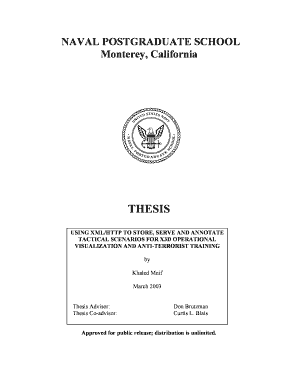
Get Using Xml/http To Store, Serve And Annotate Tactical ... - Dtic - Dtic
How it works
-

Open form follow the instructions
-

Easily sign the form with your finger
-

Send filled & signed form or save
How to fill out the Using XML/HTTP to Store, Serve and Annotate Tactical ... - DTIC online
This guide provides clear instructions on filling out the 'Using XML/HTTP to Store, Serve and Annotate Tactical ...' form online. It aims to assist users in navigating each section effectively for successful completion.
Follow the steps to complete the form correctly.
- Press the 'Get Form' button to download the document. This will allow you to access the form in your preferred format.
- Once the form is open, identify the section titled 'Agency Use Only,' and leave it blank as directed.
- Fill in the 'Report Date' field with the current date in the required format.
- In the 'Report Type and Dates Covered' section, select your report type from the drop-down menu and provide related dates.
- Enter the title of your report in the 'Title and Subtitle' field. Ensure it is concise and accurately reflects the document's content.
- Complete the 'Funding Numbers' section by including any applicable funding identifiers, if relevant to your submission.
- Input your name in the 'Author' field, following the instructions for formatting any co-authors as needed.
- List the name and address of your performing organization in the respective fields upper part of the form.
- In the 'Sponsoring/Monitoring Agency Name' section, provide the full name and address of the agency overseeing your project.
- Review each section carefully for accuracy and completeness before saving your changes.
- Finally, choose to save your work, and consider downloading or printing a copy for your records. You may also share the form as needed.
For additional documents and forms, visit the relevant online resources now.
Industry-leading security and compliance
US Legal Forms protects your data by complying with industry-specific security standards.
-
In businnes since 199725+ years providing professional legal documents.
-
Accredited businessGuarantees that a business meets BBB accreditation standards in the US and Canada.
-
Secured by BraintreeValidated Level 1 PCI DSS compliant payment gateway that accepts most major credit and debit card brands from across the globe.