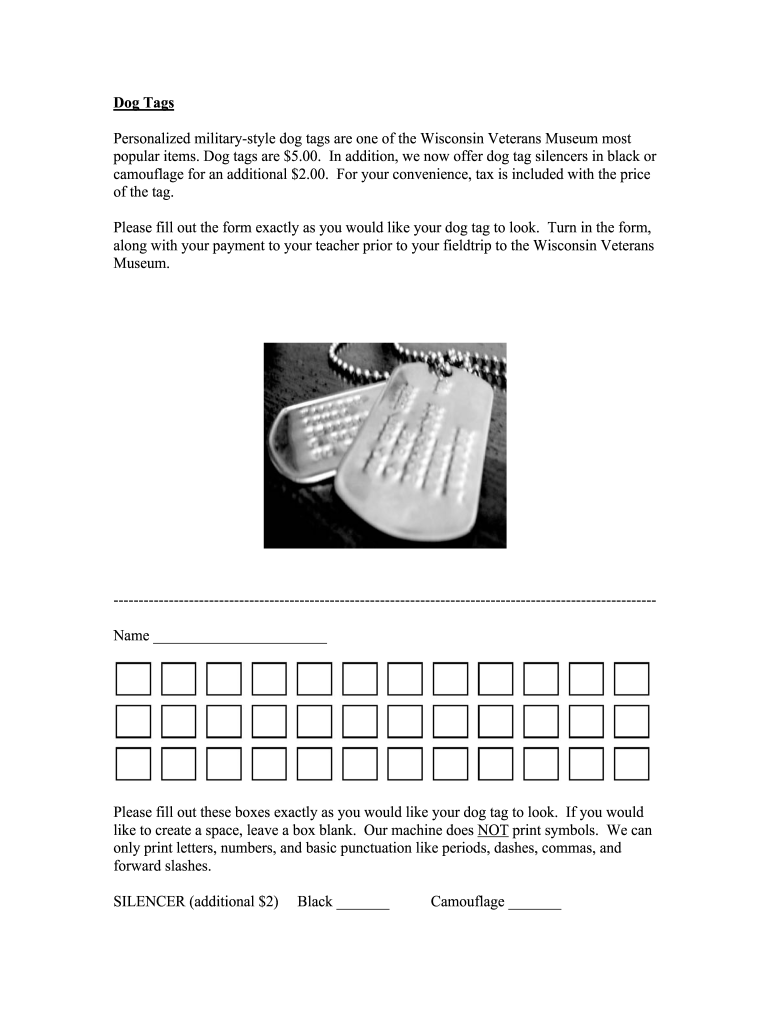
Dog Tags Personalized militarystyle dog tags are one of the Wisconsin Veterans Museum most popular items. Dog tags are $5.00. In addition, we now offer dog tag silencers in black or camouflage for.

Open form follow the instructions

Easily sign the form with your finger

Send filled & signed form or save
How to fill out the WI Veterans Museum Dog Tags online
Creating personalized military-style dog tags is a straightforward process at the Wisconsin Veterans Museum. This guide will help you understand the key components of the Dog Tags form and provide step-by-step instructions to ensure your order is completed accurately.
Follow the steps to fill out the Dog Tags form efficiently.
- Click ‘Get Form’ button to access the Dog Tags form and open it in the editor.
- Enter your name in the designated field. Please ensure that you fill out this section exactly as you would like it to appear on the dog tag.
- Review the letter and number options available for your inscription. Remember, symbols are not allowed; only basic punctuation marks such as periods, dashes, commas, and forward slashes can be used.
- If you wish to create spaces, leave a box blank. Ensure that each letter or number is placed in its own box.
- Select your desired silencer option. Choose either the black or camouflage silencer by marking the corresponding box. Note that this option incurs an additional charge of $2.00.
- After completing the form, review all entered information to ensure accuracy.
- Once satisfied with your form, save your changes and download a copy for your records. You may also choose to print or share the form as needed.
Complete your Dog Tags form online today!
Experience a faster way to fill out and sign forms on the web. Access the most extensive library of templates available.
Related content
The Veterans History Project (VHP) of the Library of Congress American Folklife Center...
We marked the man, if he had a toe, by putting the dog tag on his right toe. In some...
The Archaeological Survey of Alberta Manuscript Series is intended as an expeditious...
Get answers to your most pressing questions about US Legal Forms API.
How to get replacement dog tags for veterans?
To obtain replacement dog tags for veterans, you can initiate a request through the National Personnel Records Center. You'll need to provide relevant identification and service details. This process is fairly straightforward, ensuring that veterans can reclaim their identity markers. The WI Veterans Museum Dog Tags amplify the importance of these symbols, reminding us to honor our veterans' legacies.
What museum has the dog tags hanging from the ceiling?
The Wisconsin Veterans Museum is renowned for its display of dog tags hanging from the ceiling. This striking exhibit serves as a tribute to the sacrifices made by veterans. Visitors marvel at the sheer number of tags, each representing a unique story of courage. The WI Veterans Museum Dog Tags help visitors connect with these personal histories in a profound way.
Can I get my military dog tags replaced?
Yes, you can replace military dog tags. To start the process, you should contact the National Personnel Records Center for assistance. Providing necessary documentation will help expedite your request. The WI Veterans Museum Dog Tags showcase the importance of preserving these identifiers, and replacement tags ensure that your memories remain intact.
Is it OK to wear military dog tags?
Wearing military dog tags is generally acceptable, particularly if you have a personal connection to them. However, many veterans appreciate when their dog tags are treated with respect. If you wear tags that do not belong to you, ensure you honor their significance and the veteran's story. The WI Veterans Museum Dog Tags highlight the importance of preserving these memories.
What does it mean when a veteran gives you his dog tags?
When a veteran hands over his dog tags, it's a significant gesture that symbolizes trust and friendship. These tags represent the veteran’s identity and experiences. By sharing them, the veteran often acknowledges a strong bond or a shared understanding with you. In the context of the WI Veterans Museum Dog Tags, this act connects personal stories to the broader tapestry of military history.
What do veterans do with their dog tags?
Veterans often keep their dog tags as personal mementos that symbolize their service and sacrifice. Some display them in shadow boxes at home or incorporate them into memorials. The WI Veterans Museum offers a reflective space where visitors can appreciate the importance of these tokens within the veteran community.
Do all branches of the military get dog tags?
Yes, all branches of the military issue dog tags to their service members. These tags serve as official identification and contain vital information, including the soldier's name, service number, and blood type. When visiting the WI Veterans Museum, you can see a display showcasing various dog tags from different military branches, highlighting their significance in military history.
Do veterans keep their dog tags?
Yes, many veterans choose to keep their dog tags throughout their lives. These tags serve as reminders of their service and commitment. Moreover, they can be an integral part of the displays found at institutions like the WI Veterans Museum Dog Tags, which honor veteran stories.
What do they do with dead soldiers' dog tags?
Dead soldiers’ dog tags are typically returned to family members or used to identify the service member. They serve as an important connection to the fallen hero and their sacrifice. The WI Veterans Museum Dog Tags honors such memories by preserving these significant artifacts.
What does it mean when a soldier swallows his dog tags?
When a soldier swallows their dog tags, it is often a protective measure during combat. This act signifies a desire to keep their identity secure and avoid capture. The stories surrounding this practice can be profound, adding to the historical context featured in displays like the WI Veterans Museum Dog Tags.
Use professional pre-built templates to fill in and sign documents online faster. Get access to thousands of forms.
If you believe that this page should be taken down, please follow our DMCA take down process here.