Loading
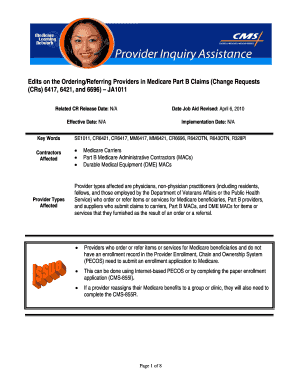
Get Edits On The Ordering/referring Providers In Medicare Part B Claims (change Requests
How it works
-

Open form follow the instructions
-

Easily sign the form with your finger
-

Send filled & signed form or save
How to fill out the Edits On The Ordering/Referring Providers In Medicare Part B Claims (Change Requests) online
This guide provides detailed instructions on how to complete the Edits On The Ordering/Referring Providers In Medicare Part B Claims (Change Requests) online. Users can follow the steps to ensure accurate submission and compliance with Medicare requirements.
Follow the steps to accurately complete your Medicare Part B Claims changes.
- Press the ‘Get Form’ button to access the form and open it in the editing interface.
- Review the form sections carefully. Begin by inputting the necessary information about the ordering or referring provider, including their name and National Provider Identifier (NPI). Ensure that you correctly input their credentials without using nicknames or abbreviations.
- Check if the ordering/referring provider has a current enrollment record in the Provider Enrollment, Chain and Ownership System (PECOS). If not, ensure that they submit an enrollment application to Medicare through the appropriate means.
- If the provider has reassigned their Medicare benefits to a group or clinic, complete the necessary CMS-855R form alongside the CMS-855I to ensure the reassignment is properly documented.
- Verify that the provider is of a type or specialty eligible to order or refer items or services for Medicare beneficiaries. Include any supporting documents if required.
- Review all entries for accuracy, ensuring that each section is completed fully before submission. Provide any additional information requested by Medicare enrollment contractors.
- Once all the information is confirmed, save your changes, and proceed to download, print, or share the form as needed.
Complete your documents online to ensure compliance and accurate claim processing.
In the event that you have charged incorrect items or submitted the claim against a different patient in error, you should contact Medicare's eBusiness Service Centre on 1800 700 199 as soon as possible and ask that they cancel the claim on their end.
Industry-leading security and compliance
US Legal Forms protects your data by complying with industry-specific security standards.
-
In businnes since 199725+ years providing professional legal documents.
-
Accredited businessGuarantees that a business meets BBB accreditation standards in the US and Canada.
-
Secured by BraintreeValidated Level 1 PCI DSS compliant payment gateway that accepts most major credit and debit card brands from across the globe.